Look up values in tables with interpolation across two or three rows. Calculate interpolated results without a calculator. Used for tank calibration tables and other table-based data environments.
by ron mooring★ 4.975 ratingsUtilitiesFreeData updated 2026-09-08
Take notes using Markdown with formatting options like tables, lists, and images. Sync data across platforms via GitHub, Git server, or iCloud Drive. Create and manage for task organization. Use whiteboarding features to sketch and collaborate.
Store and manage passwords securely with . Access saved credentials across devices. Generate strong passwords and store them encrypted. Sync data between multiple devices. View and edit password entries.
Analyze datasets by importing files or entering manually. Apply filters to focus on specific rows. View key statistics and visualizations for each variable. Understand results with plain English explanations of statistical methods.
Solve equations and inequalities with advanced graphing. Trace functions and analyze intersections. Perform calculations, store variables, and use built-in math functions. Access a scientific calculator and explore interactive math concepts.
Convert physical documents to high-quality PDFs by scanning with the camera. Correct image distortion using smart calibration. Export scans and share files directly.
Arc+ calculates radius, length, width, height, and tangent by inputting two known values. Converts between measurement units. Saves results to a favorites list and shares them with others.
Create and manage custom databases for business tasks, CRM, and ERP without coding. Collaborate with team members in real time. Automate workflows, track data, and generate reports. Sync across iPhone, iPad, and Mac devices.
Connect to Bluetooth-enabled testers to measure pH, conductivity, TDS, salinity, resistivity, ORP, and temperature. View data in Simple, Dial, Graph, or Table modes. Save and manage measurement records in a cloud-based system.
The app allows users to take orders at the table using an iPhone or iPad. It connects over a local network to manage tables, tickets, payments, and send orders to the kitchen or bar.
Write and format text using . Create and organize in Folders mode. Manage in Library mode. Publish and share documents. Edit text with a stable, platform-native editor.
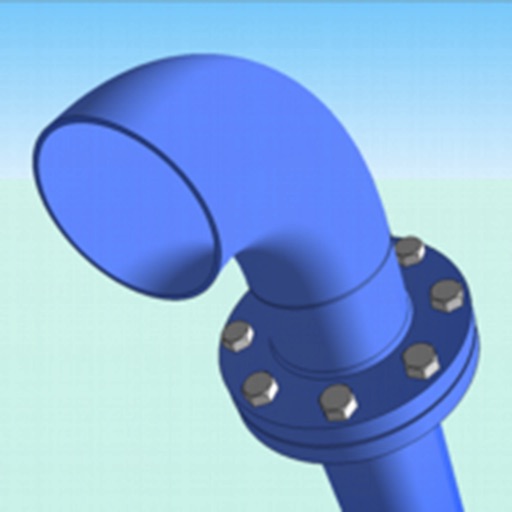
The app provides a manual for piping parts based on Japanese specifications. It lists parts using manufacturer data and publicly available dimension tables.
Generate CSV files with customizable string lengths and element levels. Create encoded data using numeric values. View character encoding tables. Export results in plain text format.
Calculate angles for cross braces and table x bracing. Input width, height, and board dimensions. Choose board orientation. Display angles for board ends and intersections. Support imperial and metric units. Provide board length requirements.
Access checklists, performance tables, and maneuvers for aircraft. Customize checklists with tail number-specific data. Adjust font size and enable night mode for better readability.