Arc+ calculates radius, length, width, height, and tangent by inputting two known values. Converts between measurement units. Saves results to a favorites list and shares them with others.
by Mohamed Saad★ 4.6118 ratingsUtilitiesFreeData updated 2026-09-18
Calculate arc dimensions including radius, length, width, height, apothem, angle, and area. Input any two values to derive the rest. Useful for carpenters, architects, and engineers. Supports complex mathematical calculations.
Calculate length and associated values for gable roofs. Input room width and ridge height to determine pitch, lengths, and ridge height. Use advanced options to enter pitch in radians, degrees, DMS, or rise/run.
Perform basic calculations in portrait mode and scientific calculations in landscape. Use root, power, factorial, exponential, division, logarithm, and trigonometric functions. Features a flat UI design similar to built-in iOS apps.
Calculator provides basic and scientific calculation functions. Users can access a history of past calculations for review or reuse. It includes a live currency converter for exchange rate checks.
Perform basic arithmetic operations including addition, subtraction, multiplication, and division. Access scientific functions for advanced calculations. Convert units between different measurement systems.
Land and distances using GPS by marking points on a map. Calculate field size, plot dimensions, and property boundaries. Save and share measurement data. Sync with other devices for accurate field surveys.
Convert units for currency, weight, length, volume, and temperature. Input values and select units for instant . Access real-time currency rates. Share results or copy to clipboard for quick use.
Perform calculations with math functions and trigonometry. Switch between units like feet, inches, yards, and metric. Visualize measurements and fractions. Track projects with customizable templates. Export results in various formats.
Measure objects using AR by aiming your camera and dragging a virtual ruler. Calculate height, width, length, and area. View real-time measurements and save results for later reference.
Calculate area, perimeter, and square-up using length, width, and height. Convert measurements between yards, feet, inches, fractions, and decimals. Perform unit conversions for math tasks.
Calculate and side lengths of right angle triangles using sine, cosine, and tangent. Input known values to determine missing measurements. Explain calculation steps and rules for applying trigonometric ratios.
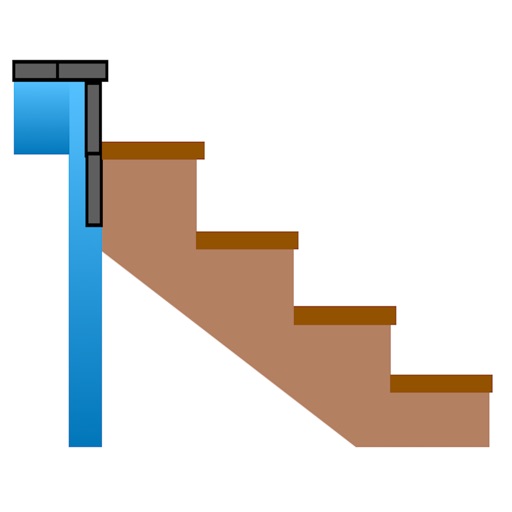
Calculate risers, run, angle, length, step height, tread depth, and number of steps. Adjust parameters for customization. Switch between Imperial and Metric units. Email or text results as needed.
Calculate size for round or rectangular ductwork. Adjust airflow, diameter, width, or height using sliders. Enter values directly for precise measurements. Lock friction calculations for accurate results.
Room dimensions using augmented reality. Tap to mark points and view real-time 3D measurements for width, length, height, and distance. Export measurements and save data for future reference.
Convert measurements between , , and centimeters. Input fractions or decimals for precise calculations. View results on a visual measure display. Perform addition, subtraction, multiplication, and division with measurement values.
Measure objects using touch as or tape measure. Split objects into equal parts and calculate width/height ratios. Estimate diameter, angles, and divide circular objects. Switch between millimeters and inches for units.
Calculate electrical circuit values by entering two known variables (current, resistance, voltage, or power). Adjust units dynamically for accurate results. Display total resistance and power in the circuit.