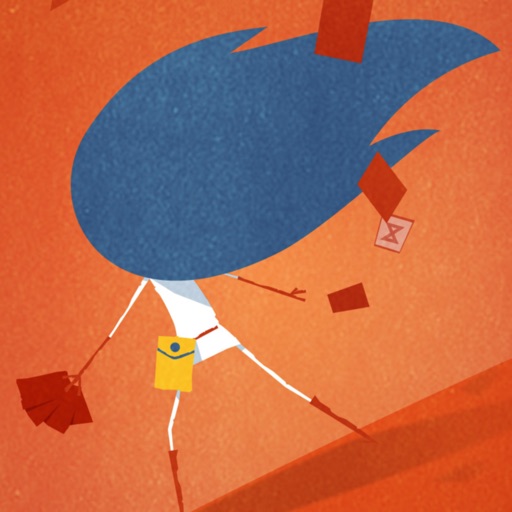
The app allows users to create a moving collage from disparate fragments. It contains black and white looping animations that can be repositioned and scaled to create a narrative.
by jody zellen★ 5.03 ratingsEntertainmentFreeData updated 2026-10-12
Arthur Eduardo Skaetta Alvarez Desenvolvimento de Software LTDA.
With one touch
Using AI to add color to black and white images. Import from camera or photo library. Adjust color intensity with a slider. Save or share the edited image.
Apply VHS, Stardust, Retro, and Golden Hour filters to photos and videos. Edit RAW photos with tools like Contrast, Saturation, Grain, and Fade. Crop and Skew images for perspective adjustments. Save and reuse favorite edits with presets.
Use the to select and customize animations, adjust brightness and sensitivity, and choose from emotional or equalizer modes. Access demo mode to test features. React to head movements and speech with animated masks.
Edit photos with effect and features. backgrounds and apply black-and-white conversion. Select areas for contrast. Zoom with two-finger pinching. Adjust brush size, opacity, and offset. Export edited images.
Create mood boards and organize reference images with smart asset management. Pick precise colors and collage freely. Edit across iPhone, iPad, and macOS with unlimited canvas and batch processing.
View live video from any camera. Access recorded footage using a timeline and jump to specific times. Navigate camera positions and review event details remotely via internet-connected devices.
The app offers over ten million animations with personalized text options. Users can share animations via text, email, Facebook, Twitter, and Instagram.
Black and white with one tap. Adjust colors, enhance brightness, and fine-tune contrast. Save and share edited images directly. Includes tools for image enhancement and color correction.
The app offers long and multi-exposure photography with real-time tracking for moving or still objects. It provides a real-time preview to create smooth background and foreground blur, and users can record first and apply tracking afterward.
Create animations using frame-by-frame drawing on photos. Add doodles and export as GIF or video. Share finished animations with friends. No advanced drawing skills required.
Create collages by combining multiple photos into a single . Resize the , adjust rounded corners, change resolution, and modify the color. Rotate individual images within the . Premium plan offers additional features and auto-renewing subscriptions.
Create collages by combining up to 50 photos, including Live Photos, with simple taps. Choose from grid, seamless, waterfall, and Live layouts. Adjust borders, spacing, and ratios for customization. Export and share finished collages directly.
Create stories for social media platforms with customizable templates. Add photos to frames, include text, and design single or collage layouts. Share stories directly within the .
Edit photos with splash effects, convert images to black and white, or apply custom colors. Add filters, zoom in on photos, and use a brush tool. Export and share edited images directly.