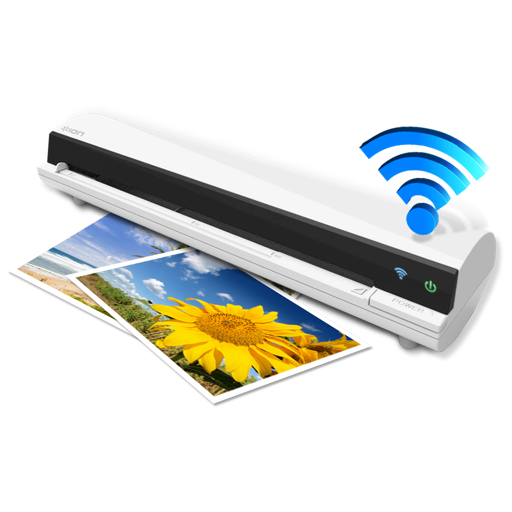
The app works with the ION Air Copy hardware, a portable Wi-Fi scanner. It scans photos, receipts, business cards, notes, and documents up to US Legal size directly to a Mac, then shares them via email or social networking.
by Ion Audio, LLC★ 0.00 ratingsProductivityFreeData updated 2026-10-10
Documents with high-quality imaging and OCR text recognition. Save and organize files in folders. Sync and auto-upload scans to cloud storage. Share scanned documents directly with others.
Measure lengths with a virtual ruler. Use protractor, plumb line, and spirit level for angles and alignment. Check elevation, air pressure, and location. Monitor decibels. Convert ordinal dates to calendar dates.
Provides access to a wide range of special characters including Greek alphabet, numbers, math symbols, bullets, and letterlike symbols. Tap to copy characters to the clipboard and paste them into any application.
Documents, receipts, and notes as multipage PDFs. Add and manage signatures on any page. Resize, move, or delete signatures. Save and email files. Upload to Dropbox, Google Drive, or One Drive. Auto-detect document edges.
Scan documents and convert them into organized digital files. Capture multi-page contracts or receipts with AI-powered enhancement. Edit text, add notes, and share files directly. Organize scans into folders and search by content.
Scan documents and detect text using OCR. Save files in PDF, JPEG, Word, or TXT formats. Share scanned documents directly. Edit and annotate scanned pages. Organize files in folders. Export as editable text or images.
Print documents and photos by connecting to wireless printers. Select files, adjust settings with built-in tools, and send prints remotely. Manage connections and access print history.
The app scans QR codes and barcodes to track stock levels and log movements. It allows users to create items, update quantities, and maintain a history of changes for inventory management.
Capture high-resolution color and structure data to create realistic 3D models. Scan people and objects using an iPad and Structure Sensor. Share models on sketchfab.com. Use augmented reality for feedback during scanning.
Scan documents, receipts, and notes to create high-quality PDF or JPEG files. Sign and edit documents. Use smart image editing with color correction. Scan multiple pages and organize files by date or name. Share scans via email or AirPrint.
Scan documents, receipts, books, photos, and whiteboards with precise edge detection and automatic straightening. Tap to capture and save scans in PDF or image formats. Share scanned files directly via email or cloud services.
Scan documents using the device camera. Convert scanned images into PDF files. Save and organize documents on the phone. Share scanned files via email or cloud services. Adjust brightness and contrast for clearer scans.
Print documents and photos from emails, messages, and device files. Use built-in scanning to capture and print documents. Print directly from apps or web pages. Share printed content via email or cloud storage.
And store receipts, documents, and photos. Save scans locally and in the for cross-device access. Auto-crop images to remove noise and enhance clarity. Share scanned files directly via email or messaging apps.
AS GRUP BILGI TEKNOLOJILERI PAZARLAMA VE TICARET LIMITED SIRKETI
Scan documents, create copies, manage files
Create and manage digital copies of documents like credit cards, books, and checks. Scan, edit, sign, save, and share files in PDF, JPEG, or TXT formats. Use OCR to extract text from scanned documents.
Scan QR codes, barcodes, and documents with an all-in-one . Decode 1D and 2D codes, including WiFi networks. Save scan history and access past entries. Use flashlight for low-light scanning. Share or copy scanned data.