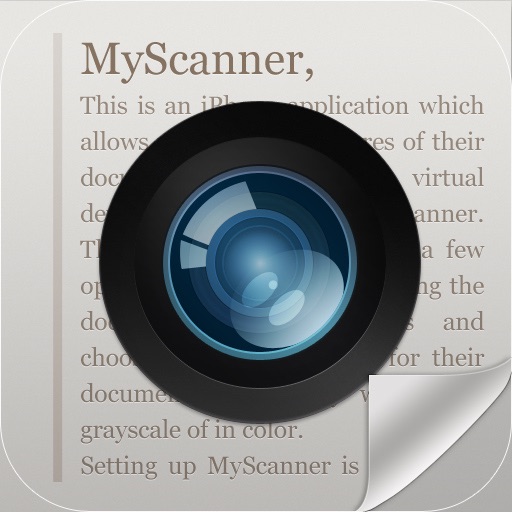
The app transforms an iPhone or iPad camera into a scanner. It displays the scan area using AR, eliminating the need for manual trimming by pre-setting document sizes.
by eXTEM Software Japan, Inc.★ 0.00 ratingsUtilitiesFreeData updated 2026-10-10
Scan QR codes and barcodes using smartphone camera. Save scanned codes to history. Share scanned results with contacts. Recognize various barcode types. Read and decode QR codes quickly.
Create videos using AI-generated clips based on text prompts. Add music, transitions, and text overlays. Export videos in multiple formats and share directly. Edit clips with trimming and rearranging features.
The app displays images from the camera as a kaleidoscope. It reproduces a tapered mirror system kaleidoscope and adds chromatic aberration for realistic images.
Track paints from over 25000 colors across multiple brands. Create custom paint sets for models. Add paints via barcode scan or manual entry. Save desired paints to a wish list. Find color matches using built-in color tools.
Connect to a dash camera via WiFi to access recorded photos and videos. Edit content with trimming and filters. Share files directly or save to device storage for later use.
Documents using phone camera for receipts, notes, business cards, invoices, certificates, and more. Automatic edge detection and cropping. Edit text and images. Sign documents digitally. Save and share files in PDF or image formats.
Identifies nearby networks and connects to them. Displays signal strength and network details. Allows manual network selection and entry. Enables administration features like restarting and configuring settings.
The app transforms digital photos into pencil sketches. It offers an intelligent algorithm for results without manual adjustments and supports various image formats.
Print documents and photos directly from your iPhone. files and save them as PDF or image formats. Manage print jobs and access cloud storage for document sharing. Connect to compatible printers without additional drivers.
Convert paper documents, receipts, or notes into editable PDFs with one tap. Extract text from images or scanned files for editing and sharing. Scan QR codes and convert Word files into high-quality PDFs.
Create AI videos from selfies with editing tools for trimming and adding text. Remix trending templates and lipsync to audio. Share videos directly to social platforms.
Manage electronic document signatures remotely. View and track signing status. Access documents securely from anywhere. Store and manage digital certificates without carrying physical copies.
Calculate quantity, boxes needed, and estimated cost for floors or walls. Account for grout gaps and input dimensions or pre-known sizes. Provide cost estimates based on material prices.
Scan documents into high-quality PDFs using your phone's camera. Edit scans with cropping and rotation tools. Add signatures and annotations. Share or email documents directly. Save and organize scanned files in a digital folder.
Digital displays time in 12-hour or 24-hour format. Countdown timer allows setting and tracking time intervals. Stopwatch measures elapsed time. Red color scheme available for display.
The app allows users to scan and digitally manage invoices, QR codes, and documents. It offers easy scanning, document digitization, and direct sharing or synchronization with a desktop companion app.
The app measures land area, perimeter, and distance using GPS, manual input, or a mixed approach. It displays measurements in various units and allows saving, editing, and exporting plans in KML or DXF formats.
Scan barcodes using iPhone or iPad camera. Support EAN, UPC, ISBN, and UPC+2/5 types for CDs, DVDs, books, and comics. Send scanned data directly to Collectorz Connect web interface for cataloging.
The app converts paper documents into PDF files using the iPhone camera. It includes image editing tools for resizing, cropping, and adjusting contrast and brightness before conversion.