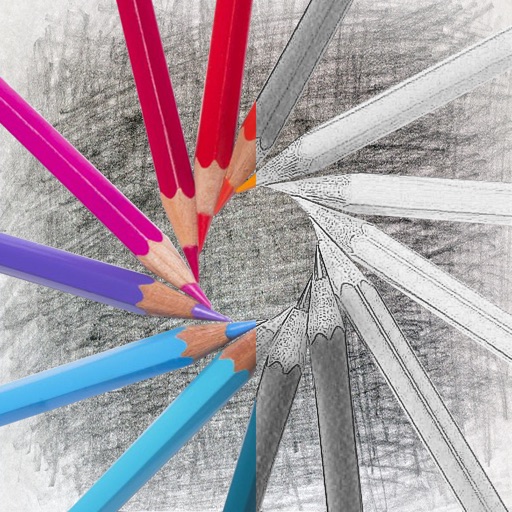
The app transforms digital photos into pencil sketches. It offers an intelligent algorithm for results without manual adjustments and supports various image formats.
by ThinkTime Creations LLC★ 0.00 ratingsPhoto & Video$5.99Data updated 2026-09-22
Turn photos into drawings, cartoons, or sketches with one click. Apply 19 effects with full control. Save creations and share via Facebook, Twitter, Flickr, Tumblr, and Email.
Turn photos into realistic with advanced filtering and detailing tools. Create unlimited and save high-resolution versions. Capture photos directly within the for immediate creation.
Convert photos into sketches with tone drawing engine. Adjust pen color, size, and background. Generate strokes with transparent backgrounds. Save sketches in original size and colorize with original colors.
Edit photos with vintage effects, artistic filters, and professional adjustment tools. Crop, resize, and enhance images. Add text and stickers. Export in multiple formats and share directly. No registration, ads, or watermarks.
Create drawings and sketches on customizable canvas backgrounds. Record sessions as videos. Share creations with friends. Choose from preset color palettes for different coloring styles.
Turn photos into drawings, cartoons, or sketches with one click. Apply various effects including black strokes, white strokes, pastel, and halftone. Adjust edge strength, opacity, contrast, brightness, and saturation.
On with precise tools. Add text, shapes, and stickers. Insert layers and blend images. Create collages with frames and stamps. Design custom stickers and share directly via iMessage or the .
The app converts photos into artistic pencil sketches with hundreds of controls. Users can select sketching styles, set background colors or textures, and adjust brightness and contrast.
Edit photos with auto enhancement, artistic sketches, beautiful paintings, and funny cartoons. Apply 700+ filters and . Add frames and stickers. Share edited photos directly.
Convert photos to artistic pencil sketches with one-click processing. Compare before and after images. Customize backgrounds with 100 paper textures and colors. Apply colorization tools for enhanced detail. Export edited images directly.
Convert photos to pencil sketches with adjustable effects including ink, outline, stony, charcoal, and cartoon styles. Support black and white and color pencil painting. Apply stylization, high contrast, and other advanced editing tools.
The app converts photos into pencil sketches and offers a collection of coloring pages. Users can select photos from their album or take new ones with the camera to create sketches.
Convert photos into sketches or cartoon avatars using 50+ effects like , Memory Style, and Old Movie Style. Apply 50+ cartoon effects to create humorous or artistic images. Save and share the edited photos directly.
Convert images to or PNG formats. Supports HEIF/HEIC and common types. Converted files are saved to the Photos with automatic album creation. Allows conversion of PNG to for printing.
Use your phone camera to draw on any surface. Access templates for animals, cars, and nature. Utilize the built-in flashlight for better visibility. Share completed drawings with friends. Create art using augmented reality technology.
Create artworks from photos or videos using styles like , sketch, oil painting, and watercolor. Choose textures such as canvas or paper. Adjust tones and apply filters. Share creations directly from the .
Create sketches from photos with adjustable brush settings and layer controls. Choose from multiple art styles including cartoon, silhouette, and watercolor. Edit sketches with tools for tracing, erasing, and color adjustments.
Convert photos into sketches using up to six different image effects. Apply filters, adjust contrast, and save or share the edited images. Export in various formats and view before-and-after comparisons.