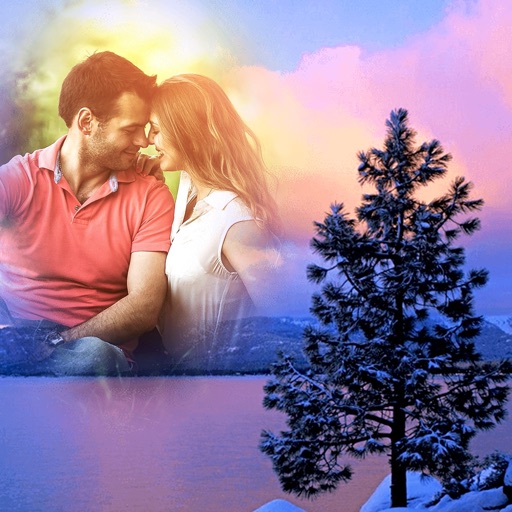
Edit photos with seasonal frames and nature effects. Select images from the gallery or take new photos. Apply filters and effects to enhance visuals. Save and share edited photos directly.
Apply 800+ professional with themes like retro, vintage, and cyberpunk. Customize and use DNG feature for advanced editing. Add blockbusting overlays to enhance photos and videos. Export edited content in various formats.
Edit photos and videos to create oil paintings using 29 presets and 12 professional tools. Adjust brush strokes and colors manually. Apply AI-generated oil with machine learning enhancements. Export edited content in various formats.
Edit photos with brushes and black-and-white effects
Edit photos by converting them to black and white and selectively retaining with a finger brush tool. Zoom in and out using two-finger pinching for precise adjustments. Share edited images via email or upload to Twitter, Flickr, or Dropbox.
Arthur Eduardo Skaetta Alvarez Desenvolvimento de Software LTDA.
Convert photos to sketches
Convert photos into various styles like , colored, painting, and comic. Adjust brush thickness for customization. Save high-resolution sketches for sharing or printing.
Edit photos with multiple layers, blending modes, and masking. Adjust colors and brightness using adjustment layers. Apply brushes, smudge, warp, and effects. Add shadows and clarity. Export and share edited images.
Capture photos with controls including shutter, ISO, and white balance adjustments. Edit images using film-emulating presets, RAW processing, and advanced color settings. Export photos in high-quality formats and share directly.
The app provides fisheye photo and video capture with live preview. Users can add vintage film looks, colorful ring flash effects, and a GPS watermark to document captured moments.
Edit photos by automatically cutting out portraits using AI. Apply various trendy templates to redesign images. Share edited photos directly to social networks like Instagram and Facebook. Adjust and enhance images with editing tools.
Apply effects to photos including sepia tone, grain, darkened edges, distressed paper, and faded highlights. Adjust intensity settings and export edited images in various formats.
Create seamless patterns using 17 symmetry types and 23 templates. Draw with 18 brushes including pencil, liner, and airbrush. Use symmetry guide lines to align designs. Export patterns in multiple formats.
Photos by tapping to automatically backgrounds or specific objects using AI. Select images from the library or camera. Adjust intensity and apply effects to hide unwanted details. Export edited photos directly.
Create photos with customizable like Fat, Pinch, and Hue. Mix to create unique combinations such as Hulk or Alien. Apply filters, adjust colors, and save or share edited photos.
Edit photos to and body using auto-detection. Adjust and body thickness with sliders. manual edits and undo changes. Compare original and edited images. Save results to albums and share via email or social media.
Edit photos with face-lifting, slimming, and skin retouching tools. Apply effects to preview future appearances. Enhance complexion and adjust facial features using AI technology. Add special effects for creative editing.
Edit photos with live video filters and custom effects. Adjust filter settings for precise control. Use advanced colouring tools to enhance details. Export edited images in various formats.