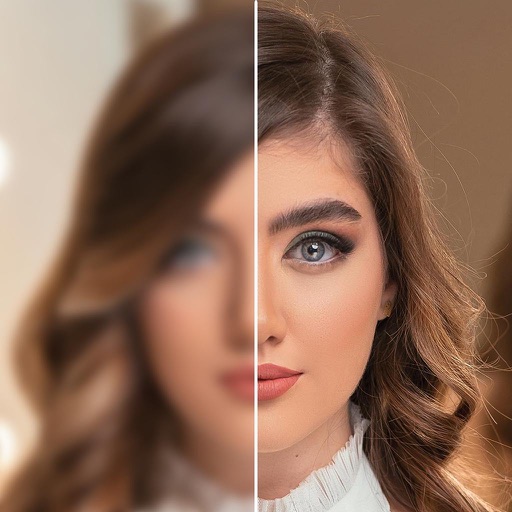
The app allows users to enhance color and clarity in photos with balanced presets. It offers a live split preview, curated presets for different styles, and the ability to blend effects for a desired finish.
by 福恩 毛★ 0.00 ratingsPhoto & VideoFreeData updated 2026-10-09
AI-powered enhancements improve image clarity and resolution. Batch processing allows multiple edits at once. Edit history tracks changes made to photos. Export options include various file formats.
Create videos using AI models to generate footage from ideas. Select from various AI models to produce professional-looking results. Edit and refine videos with built-in tools. Replace or adjust elements with different models for desired outcomes.
Edit photos by drawing on them with adjustable brush sizes and color choices. Use an erase tool and undo/redo functions for precision. Save edited images for later changes or share them directly on social networks.
Edit photos and videos to apply effects. Adjust hue, saturation, brightness, contrast, exposure, and other parameters. Use smart sharpening filters to enhance image quality. Convert old photos to style. Export edited content in various formats.
Edit and enhance grayscale photos with 20 predefined presets and custom adjustments. Apply vignette effects and modify color channels. Save personalized presets. View and share monochrome images directly.
Convert photos into limited-color posters with a effect. Apply filters to adjust colors and brightness. Share images on social media platforms like Facebook and Twitter. Save or email the edited photos directly.
Intelligent : Outline the subject to automatically remove it from the photo. Save images to system album or application album. Edit saved images directly within the .
Edit photos with curated lighting presets like Soft Pink and Cool White Tone. Adjust brightness and color temperature. Capture selfies and close-ups in low- conditions. Use vibe lights to enhance mood and ambiance during photo sessions.
Create reflection effects with left-right, up-down, or repeat options. Apply effects and designer frames to enhanced images. Select from gallery or capture new photos for editing. Export and share edited images.
Edit photos and videos with AI-powered tools for refinement, makeup application, adjustment, and background changes. Apply presets and filters. Use smart assistant for creative suggestions. Export and share edited content.
Edit photos with dozens of presets and color correction tools. Adjust lighting and apply special effects like lens flares and vintage dust. Create collages and add text with exclusive fonts. Share edited images directly.
Edit photos using professionally crafted Lightroom . Apply filters, adjust colors, and enhance images for social media. Save and organize . Export edited photos for Instagram and other platforms.
AI Enhancement improves clarity, enhances colors, and restores details. Sharpen images to reduce blur. Adjust exposure to correct underexposed or overexposed areas. Edit photos with basic tools like cropping and brightness controls.