Create style text with customizable fonts and layouts. Share generated text to LINE, Facebook, Twitter, and Camera Roll. Adjust text size and spacing for different formats.
by Kazuo Sakamoto★ 1.01 ratingsEntertainmentFreeData updated 2026-09-08
Create promotional posters and cover photos with customizable backgrounds, textures, and effects. Add text using design fonts and include stickers. Save and share the final design directly.
Add text to photos with customizable fonts, colors, sizes, and borders. Include stickers and background colors for creative expression. Share directly to social media platforms. Supports multiple languages including Arabic, , Persian, and Hindi.
Take photos or choose existing images. Adjust and crop the photo. Add holiday-themed objects like hats, trees, and glasses. Apply Christmas-themed effects and frames. Share the edited photo on Facebook, Twitter, or via email.
View real-time social media updates from the team and fans across Twitter, Facebook, and Instagram. Track live scores, game stats, and play-by-play details during matches. Share updates and interact with the community directly through the .
Create photo collages using 20,000+ layouts and frames. Combine up to 16 photos in customizable grids or freestyle arrangements. Add text with 1,000+ font styles. Edit layouts, adjust frames, and export collages.
Convert videos or photos into and Boomerang-style videos. Share on social platforms like Instagram, Facebook, and WhatsApp. Convert to MP4 or LivePhoto formats. Generate stickers from . Explore trending and memes.
Take photos in landscape or portrait mode or select from the Camera Roll. Adjust the size and position of the animated on the image. Watch the sprinkle dust and fly around the photo instantly. Upgrade to save the video version.
Take photos and add humorous to faces. Upload or capture images directly in the . Choose from generated styles. Share edited photos via text, Facebook, and Twitter. Use personal or celebrity images for fun.
Convert text into syntax with customizable colors and balloon shapes. Save generated sentences in a history log. Share results via Twitter, LINE, and other platforms.
Apply winter-themed to images. Adjust frame opacity and position. Share edited photos directly. Add text overlays and decorative elements. Export in various formats.
Create Instagram-style and stories with editing tools, music, and effects. Add text, stickers, and transitions. Access weekly trending music and templates. Share directly to social media platforms.
Arthur Eduardo Skaetta Alvarez Desenvolvimento de Software LTDA.
Videos from your device
Create loops from existing videos by selecting them from the Camera Roll or device files. Adjust speed, duration, and start point. Export loops as clips or GIFs without watermarks.
Arthur Eduardo Skaetta Alvarez Desenvolvimento de Software LTDA.
Videos and adjust speed
Convert videos to with audio reversed. Adjust playback speed for customization. Export and share reversed videos to social media or save to the camera roll.
Create artistic images with single-tap camera effects and professionally designed filters. Adjust brightness, contrast, and tone curve. Blur and focus images. Rotate, crop, and resize photos. Add text and fun stickers.
Create kaleidoscope patterns by swiping fingers across the screen. Adjust the number of lines and line color. Use multi-touch for advanced control. Save generated artwork to the device's Camera Roll.
Create and share augmented reality text with 3D effects. Add animations like fire, hearts, and ice. Customize text with fonts, colors, and size. Place text in real-world environments. Share creations directly with friends.
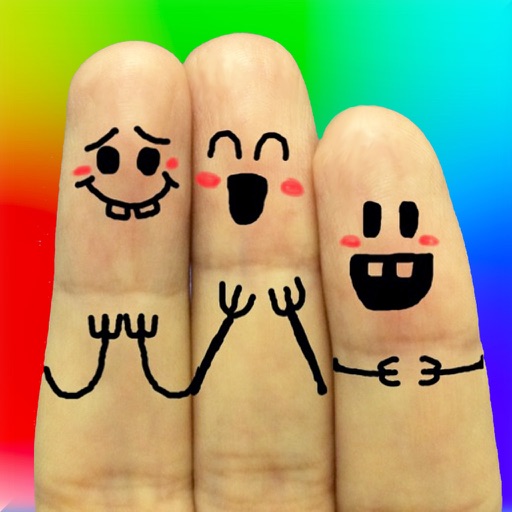
The app allows users to create finger faces using photos from their camera roll or by taking new pictures. Users can add faces, items, stickers, and text, or draw their own creations.
Create collages with customizable Polaroid, SCRL-style scroll, and grid layouts. Choose from modern, vintage, minimal, and film-style . Adjust colors, borders, and text. Export with transparent backgrounds and share directly.