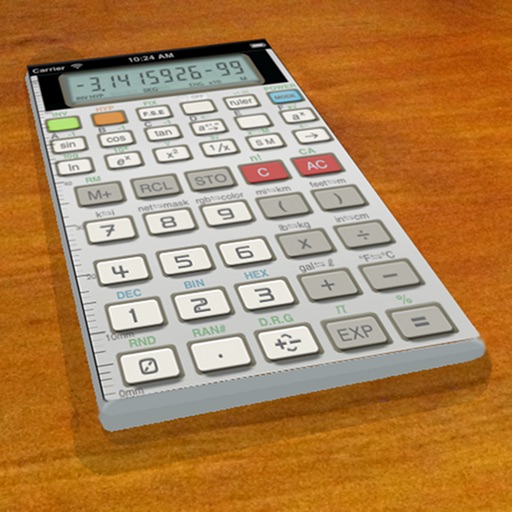
A vintage-style scientific calculator with a retro LCD display and realistic key sounds. Perform basic and advanced calculations, use shift functions, and access additional modern features like parentheses and memory storage.
by Paul SALANITRI★ 4.619 ratingsUtilitiesFreeData updated 2026-09-08
Perform complex calculations with support for hexadecimal, octal, and binary. Use RPN mode and multi-line display. Access unit conversions, constants, and scientific notation. View a paper tape and use multiple undo/redo functions.
Allows users to perform basic arithmetic and advanced scientific calculations. It supports trigonometric functions, logarithms, and exponents. Users can switch between simple and complex modes. The features a clean interface and customizable themes.
Perform basic and scientific calculations with equation display and history tracking. Switch between binary, octal, decimal, and hexadecimal modes. Calculate fractions directly. Use widget for quick computations.
Solve equations and graph functions with advanced math support. Perform calculus operations and matrix calculations. Access detailed tutorials and a comprehensive user manual. Export results and share calculations.
Allows users to perform basic and advanced calculations. Switch between simple and scientific modes. Access the via homescreen widget or LiveActivity Standby. Perform calculations without opening the .
The app provides basic arithmetic calculations with a two-line display and a paper tape. It shows the calculation formula and its result simultaneously, featuring large buttons for ease of use.
Calculator allows users to perform basic and advanced mathematical operations. Input and display numbers with large, clear buttons. Correct entries using a backspace key. Support decimal points and parentheses for complex calculations.
Perform basic statistical calculations, create and edit data lists, and generate summary . Calculate regression models and probability distributions. Unlock advanced features and larger list capacities via in- purchase.
Calculator+++ allows users to input data via Add X, Add Y, and Add f buttons. Perform statistical analysis, regression, probability distributions, confidence intervals, and hypothesis tests. View results directly without needing a manual.
Perform statistical calculations, graph functions, and handle scientific and matrix operations. Access all features without ads or付费 restrictions. Replace physical calculators for test preparation and academic use.
Set alarms with customizable sounds and 24/12 hour format. Display time in a large red LCD style with Retina clarity. Use big buttons for easy interaction. Syncs with iPhone settings automatically.
Perform complex calculations using 12 built-in calculators including scientific, financial, and unit conversion tools. Input formulas with three modes: standard, string, and RPN.
Reverse polish notation calculator for iPhone, iPad, and Apple Watch
The app provides a reverse polish notation calculator for iPhone, iPad, and Apple Watch. It offers a clean interface with essential functions for quick calculations.
Allows users to perform complex calculations with a natural display that shows expressions as written. It supports fractions, roots, and exponents. The includes a graphing module for visualizing equations.
Enter the by pressing numbered buttons for each digit. Retrieve the serial number by pressing 2 and 6 for 5 seconds or removing the to find the PRECODE. Input digits using buttons 1 through 4.
Allows users to perform basic arithmetic operations including addition, subtraction, multiplication, and division. It supports percentages, parentheses, and expression editing.