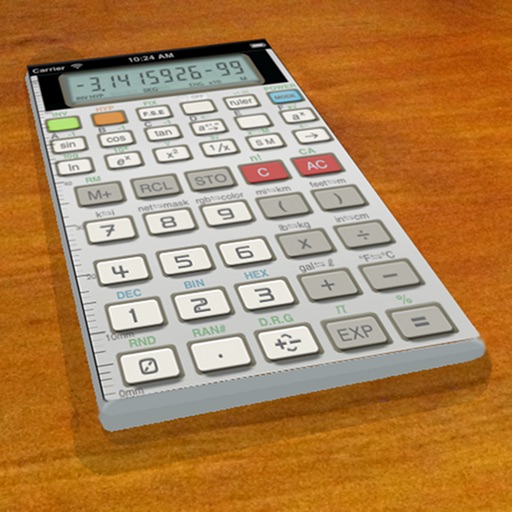
A vintage-style scientific calculator with a retro LCD display and realistic key sounds. Perform basic and advanced calculations, use shift functions, and access additional modern features like parentheses and memory storage.
by Paul SALANITRI★ 4.619 ratingsUtilitiesFreeData updated 2026-09-08
Perform complex calculations with scientific functions, trigonometry, and unit conversions. Customize themes, adjust display settings, and save frequently used formulas. Export results and share calculations directly.
Calculate with dual-line display and multi-line input
A with dual-line display showing input and result. Supports multi-line equations and tap-to-move cursor. Saves calculation history with timestamps and labels. Allows emailing calculations and swiping to review past entries.
Perform calculations using a scientific calculator with customizable layouts. Take notes automatically with the notepad feature. Enable multitasking with slide over and split view on iPad. Drag and drop elements for easy rearrangement.
Create retro-style art with filters, color overlays, and glitch effects. Adjust brightness, contrast, and saturation. Add text, stickers, and pixelation. Export images in various formats and share directly.
Measure angles and levels with a digital . Adjust settings for precision. Share results via email or social media. Sync with other tools in iMetalBox for enhanced functionality.
The app offers scientific functions accessible by swiping between exponents, logs, and sinus functions. Users can correct entries with a backspace key, copy and paste numbers, and customize backgrounds and digits.
A calculator with a large, easy-to-read display and simple buttons. Perform addition, subtraction, multiplication, and division. Features a clear layout and user-friendly design for everyday use.
The app offers a modern calculator with extensive customization options. Users can create custom themes, choose button shapes, and adjust visual elements.
Snap and scribble to solve math problems. Perform basic, scientific, and fraction calculations. Convert currencies and view calculation history. Customize themes and use an intuitive design.
Perform calculations with basic arithmetic, fractions, and advanced functions. Store calculation history for review. Switch between light and dark modes. Use HD display for clear results. Adjust layout for easier input.
Perform calculations with a clean interface. Switch between light and dark themes. Use multitasking on iPad. Access on Apple Watch with complications. Share results via iMessage.
Solve math problems by adding, subtracting, converting, and reversing numbers. Manipulate values through portals. Use an LCD display for complex equations. Interact with a snarky assistant for guidance. Adjust button sensitivity for precise input.
Calculation allows users to perform scientific computations with trigonometric and inverse trigonometric functions. Users can toggle between degree and radian modes. Expressions and results can be copied with a double tap.
Find a car precode by turning on the and holding buttons 1 and 6. The precode consists of 1 letter followed by 3 digits. Enter the using buttons 1, 2, 3, and 4 to input each digit sequentially.
A calculator with Basic and Scientific modes supports numbers and trigonometric functions. Perform quick calculations, access advanced operations, and view computation history. Generate random numbers with uniform distribution.
Create and analyze mathematical functions with interactive graphing. Manipulate equations, zoom, and pan graphs. Access a clean interface with logically placed tools. View detailed error messages and scroll through results without navigation clutter.