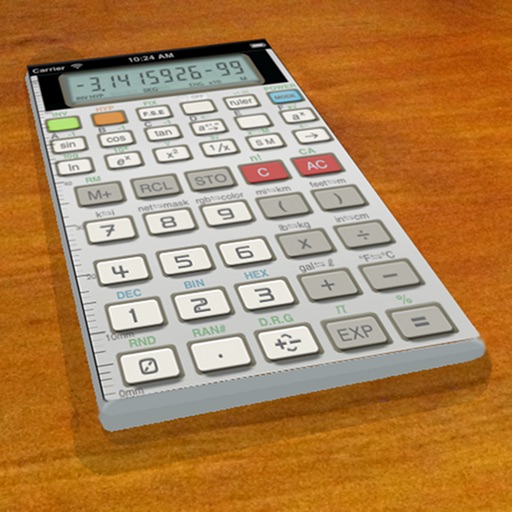
A vintage-style scientific calculator with a retro LCD display and realistic key sounds. Perform basic and advanced calculations, use shift functions, and access additional modern features like parentheses and memory storage.
by Paul SALANITRI★ 4.619 ratingsUtilitiesFreeData updated 2026-09-08
Calculate with scientific precision and enhanced functions
Simulate the HP-45 scientific calculator with photo-realistic visuals and original LED or LCD display. Print calculations, animate keys with sound and feedback, and replicate the calculator's computation times.
Calculator offers advanced functions including exponents, logs, and sinus operations. Swiping accesses different function categories. Large buttons for easy input. Landscape view reveals additional functions. Balloon help provides guidance.
The app provides multiple calculators in one. It includes scientific, algebraic, and logic functions with conversion tools for various units and memory registers.
Track calculations step by step to identify errors. Perform basic and advanced math operations. Use scientific functions and memory storage. Save and recall previous equations. Adjust display settings for different modes.
Perform complex mathematical calculations using scientific functions and simple arithmetic. Calculate percentages, taxes, and financial figures. Save and share results with others. Syncs with iPad and iPhone.
Calculate, add, subtract, multiply, divide, and percentage
Perform basic arithmetic operations including addition, subtraction, multiplication, and division. Calculate percentages and use memory functions like M+, M-, MR, MU, and GT. Includes square root functionality.
Calculate with dual-line display and multi-line input
A with dual-line display showing input and result. Supports multi-line equations and tap-to-move cursor. Saves calculation history with timestamps and labels. Allows emailing calculations and swiping to review previous entries.
A with customizable themes allows users to select from multiple visual styles. Perform basic and advanced calculations. Switch between light and dark modes. Adjust font size and color schemes.
Perform calculations with a standard featuring extra-large buttons and functions like delete, x², √, and %. Use a scientific with 30 advanced functions. Convert units, calculate loans, and determine tips.
Measure screen ripple and select eye-friendly devices
Measure ripple coefficient of light sources including LED, halogen, fluorescent, and incandescent lamps, as well as LCD and LED monitors. Display readings for visible spectrum radiation. Note that results may vary based on light source and frequency.
Perform calculations with a multi-line display that supports complex expressions and order of operations. Edit equations, save history, and switch between and basic modes. Share results via copy or email.
Lets users switch between basic and scientific modes with over 30 operations. Customize leather color and background texture on iPad. Use portrait or landscape orientation on iPad. Take notes or draw on the screen.
Solve mathematical problems with fraction, decimal, and equation input. Display results in decimal, rational, , or trigonometric formats. Support up to 16 decimal places for precise calculations.
Perform calculations with basic and scientific modes. Switch between portrait and landscape views. Display calculation steps and use a voice-activated . Customize keyboard layout and choose from two skins.
Perform complex calculations using RPN input. Access advanced mathematical functions and programming capabilities. Store and recall values with memory registers. Use a redesigned interface for enhanced usability.
Perform basic and advanced calculations with large, illuminated buttons. Use the scientific for 30 functions. Convert units, calculate loans, and determine tips. Includes standard, scientific, unit converter, loan, and tip calculators.
Perform complex calculations with a powerful math core and algebra engine. Display mathematical expressions with proper formatting. Solve equations, graph functions, and convert units. Access scientific, financial, and programming calculators.
Perform basic arithmetic operations, percentage calculations, and unit conversions. Switch between standard and engineering modes for advanced scientific functions. Adjust display settings and access history for repeated calculations.
Perform complex calculations with scientific functions, trigonometry, and unit conversions. Customize themes, adjust display settings, and save frequently used formulas. Export results and share calculations directly.