
iPhone Screenshots




Description
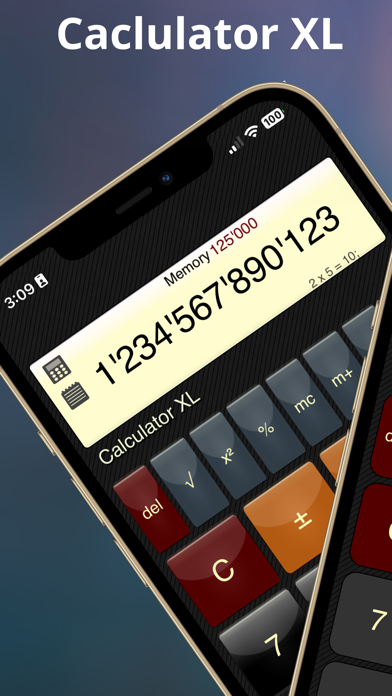
Perform calculations with a standard featuring extra-large buttons and functions like delete, x², √, and %. Use a scientific with 30 advanced functions. Convert units, calculate loans, and determine tips.
5 for the Price of 1!
Calculator XL is a Universal App for iPhone, iPad, iPod, and iMac, offering:
• Standard Calculator
• Scientific Calculator
• Unit Converter
• Loan Calculator
• Tip Calculator
Quick, accurate, and easy to use, Calculator XL features large, illuminated buttons for standard operations and a sleek, polished design.
Features:
• Standard Calculator: Extra-large buttons with additional features like delete, x², √, and %.
• Scientific Calculator: 30 advanced functions with color-coded, multifunction buttons.
• Unit Converter: Supports length, volume, weight, and temperature conversions, with color-coding for Imperial and US units. Perfect for any use, especially in the kitchen!
On iPad, switch between calculators with the flip of a switch. On iPhone, rotate left for the Scientific Calculator or right for the Unit Converter.
Extra Features:
• History list of calculations
• Widgets. 2 types, one for history, and one for current number and memory
• 29 types of unit conversions with color-coding
• 30 scientific functions
• Handy delete (Del) button
• Memory with preview display
• Extra-large buttons for ease of use
• One-tap copy
• x², √, and % in standard mode
Calculator XLt Free is the free version of Calculator XL, available for both iPad and iPhone.