
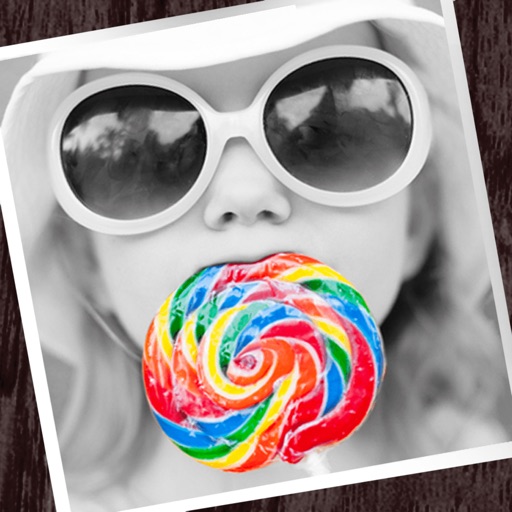
Apps Like Colorful-photo splash editing for iPhone and iPad
Edit photos with partial monochrome filters.
The app allows users to apply monochrome filters and effects to specific parts of an image by rubbing with a finger. Users can also reduce or enlarge images using a pinch gesture.
Colorful-photo splash editing screenshots
Ranked alternatives
Showing 201–220 of 1,000 ranked alternatives.


MonoVu
Broong, Inc.
Capture life in black and white.
The app provides a wide spectrum of black-and-white filter effects for monochrome photographs. Users can capture moments in various forms of black-and-white photography with a sleek touch.


PixelLab: AI Photo Editor
PIYUSH SHIYANI
Edit photos, add drip art, create collages
Edit photos with AI cartoon filters, -to-sketch conversion, and mosaic art creation. Remove backgrounds, add drip art, and create collages. Save and share edited images directly.

Let's Draw : Drawing App
Shigeru Nakaya
Edit images, on photos, add text, share
Edit images by on photos with 45 colors and five pen thicknesses. Use zoom edit and undo functionality. Add text with drag and pinch for free layout. Import from camera roll and attach images. Share edited content via email, Twitter, and Facebook.


Engrave Me
福恩 毛
Create polished engraving art in seconds.
The app recreates photos with etched lines, crosshatching, and monochrome styles. It offers a live split preview, curated presets, and the ability to blend effects for a custom look.


Tooner AI: Photo Editor
Ekaterina Zenkova
Generate images from text
Create images from text descriptions with AI-generated portraits, characters, and scenes. Edit photos by describing desired changes like removing objects or swapping backgrounds. Transform images into various visual styles using AI prompts.


Silver Photo Frames & Photo Funia Picture Effects
Ankur Chauhan
Edit photos with frame
Edit photos with and apply filters. Add text and stickers. Create montages. Share edited images directly. Adjust brightness and contrast. Save and export in various formats.

Square Fit Insta Photo Editor
wilson sonkamble
Post photos with full size and rotate
Post full-size photos to Instagram without cropping. Adjust orientation, scale, and flip images. Apply filters, add borders, frames, stickers, and text. Customize backgrounds with blur, shapes, and shadows.
Fun Face -Funny Photo Filters Stickers Editor
Sam Kwok
Add to photos and share
Select images from the gallery or camera. Drag and drop to adjust their position, size, and rotation. Access over 630 including emojis, faces, and themed categories. Share images to supported apps or save to the device's album.

How we rank alternatives
Apps are ranked by functional similarity, category fit, rating confidence, and popularity.