Apps Like Spider Serial Terminal for iPhone and iPad
Connect to serial devices easily.
The app provides a basic ASCII terminal for engineers to connect to serial devices. It is suitable for testing and debugging serial connections and controlling devices with a standard serial interface.
by Kenny Millar★ 0.00 ratingsUtilities$4.99Data updated 2026-10-06
Allows SSH, Mosh, Telnet, and SFTP connections from mobile or desktop. It supports port forwarding and secure file transfers. Users can access a virtual keyboard or connect Bluetooth keyboards. Gestures and device shaking control terminal actions.
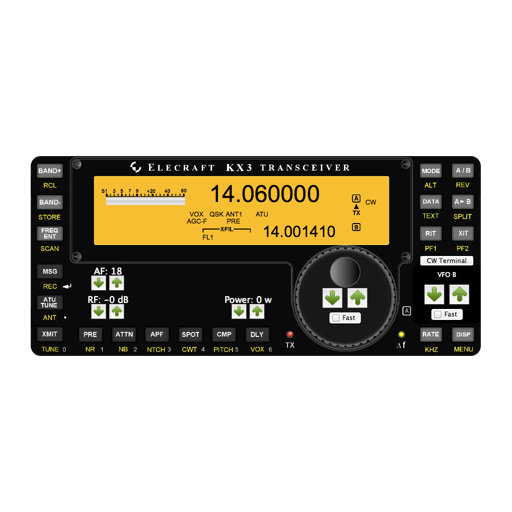
The app offers a graphical interface for controlling the Elecraft KX3 radio. It includes a built-in CW/DATA terminal with decode functionality, and user-defined Macro, CW, and VFO memories.
Control monitoring devices via 3G, 4G, or Wi-Fi. Check real-time video streams. Input serial number through QR scan or manual entry. Verify device online status to access live footage.
Scan barcodes with your smartphone camera to identify products. Search for items by entering serial numbers. View product details and pricing directly within the . Share scanned results via email or messaging.
Read and write NFC tags with a lightweight interface. View tag details including maker, type, norm, technology, serial number, size, and data. Interact with tag content by tapping the device near the chip.
Access remote devices via SSHv2 and Telnet. Connect through serial ports using Bluetooth or physical cables. Run scripts, share screens, and log sessions. Integrate with Dropbox and iCloud for file storage and syncing.
Allows users to view live video feeds from IPC and DVR cameras via cloud login using a serial number or QR code. They can play local recordings, take snapshots, search for images, and control PTZ cameras.
Scan data codes from LEGO® Minifigure boxes to reveal contents. Display serial numbers, names, and images of minifigures. Allow users to report scanning errors via email.
Check device details by entering or serial number. Retrieve model name, storage information, account lock status, SIM lock details, and warranty information. Scan barcode or input manually to get report.
Connect to nearby readers via BLE. Send commands and receive responses as with serial or network connections. Configure and test reader settings remotely.
Connect to servers via SSH, , Telnet, and Port Forwarding. Use password, two-factor, or key-based authentication. Manage remote systems securely from iOS or macOS devices. View and edit files directly on the server.
The app streamlines new system registration by mapping physical layouts within the SolarEdge platform. It allows for onsite creation, editing, and verification of system layouts, including scanning and assigning power optimizer serial numbers.
Enter the by pressing numbered buttons for each digit. Retrieve the serial number by pressing 2 and 6 for 5 seconds or removing the to find the PRECODE. Input digits using buttons 1 through 4.
Sorts text input by ascending, descending, or order using line breaks. Generates serial numbers for dice or tables. Shares sorted results on social media platforms.