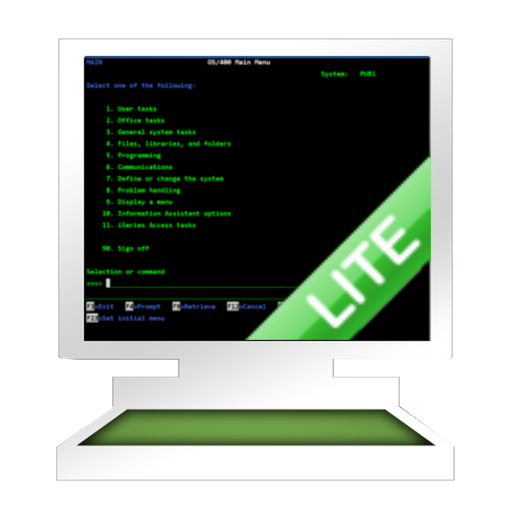
Connects to Telnet Server with Terminal window and barcode support
The app connects to a Telnet Server via iPhone or iPad. It offers VT220 Terminal window with standard emulation features and supports multiple barcode scanners.
The app provides iPad access to IBM Power Systems, iSeries, and AS/400 via Internet or Wi-Fi. It supports VPN access for secure connections and includes features like a Host keypad, Alphanumeric/Japanese Katakana keypad, and Numeric keypad.
Review balances, transfer funds, pay bills, deposit
Review account balances and transactions. Transfer funds between accounts. Deposit checks by photo. Pay bills and view cleared check copies. Locate surcharge-free ATMs and branches. Use SSL encryption for secure communication.
Access FTP and servers to manage remote files. Edit text files, copy and move files between servers and devices. Stream music and videos from FTP servers. Sort and search files within the .
Access remote servers with terminal emulation and barcode scanning capabilities.
The app connects to a Telnet Server for remote terminal access. It supports multiple barcode scanners and customizes color settings for user preference.
Securely connect to any computer worldwide using RDP or VNC protocols. Access remote desktops with Fluid Remote protocol for high performance. Set up quickly and reliably. Control remote machines with mouse and keyboard input.
Secure internet browsing with encrypted connections and private IP address masking. Manage server locations and connection protocols. Monitor data usage and battery consumption. Disable background data to conserve resources.
A utility for managing VPN connections. Add configurations via link or QR code. Test latency and sort connections. Delete failed entries. Toggle TLS allowInsecure. Pull down to refresh. Swipe edges to navigate. Receive push notifications.
Manage network traffic with - routing for TCP, UDP, and ICMP protocols. Configure servers and apply rules on domain, IP-CIDR, or User-Agent. Support DNS over TCP, TLS, and HTTPS. Enable MitM, HTTP rewriting, and on-demand connections.
Review account balances and transactions. Transfer funds between accounts. Pay bills remotely. Locate surcharge-free ATMs and branches. Use SSL encryption for secure communication.
Control computers via sharing, trackpad/mouse, and Apple Pencil. Connect using RDP, SSH, Telnet, and VNC. Manage sessions, transfer files, and customize keyboard shortcuts. Supports iOS and Mac devices.
Block ads and trackers using predefined rulesets like EasyList and EasyPrivacy. Customize filters by enabling additional rulesets via the options page. Prevent CSS and JS injection-based content filtering without requiring a background process.
Allows users to scan barcodes and QR codes. Sends real-time keystrokes to a computer via . Supports CSV file exports for scanned data. Enables keyboard emulation without copy-paste. Connects to computers on the same network.
The app provides IBM 5250 terminal emulation for IBM iSeries systems. It supports TN5250 protocol, multiple sessions, and configurable toolbars with macros.
Check balances, transfer funds, pay bills, deposit
Check balances and view account history. Transfer funds between accounts. Pay bills using saved payment details. Deposit checks by photo. Locate surcharge-free ATM and branch locations. Use SSL encryption for secure transactions.
Create and modify events using drag-and-drop gestures. Sync with Google Calendar. View and edit dates and events intuitively. Upload events to Google Calendar. Adjust event dates by dragging. Manage schedules efficiently on iPhone or iPod Touch.
Create a personalized event agenda. Search sessions by topic, subtopic, role, or industry. Register for labs. Download session materials. Follow speakers, exhibitors, and attendees. Build a social network. View transportation details and event news.