

Apps Like SmartVault for iPhone and iPad for iPhone and iPad
Securely store and share business files.
The app provides access to business documents from anywhere, including within select business applications. It allows users to securely store and share files with clients and partners, and upload photos.
SmartVault for iPhone and iPad screenshots
Ranked alternatives
Showing 261–280 of 1,000 ranked alternatives.


PDF Scanner - Documents Scan +
Hendrych Kowalski
, edit, store, share
Using iPhone or iPad camera. Convert to PDF or image formats. Edit text, crop, and annotate scans. Save, organize, and share files. Sync with cloud storage services. Export as email attachments or social media posts.


PDF & Word Translator
Alex Gameli Heyman
Translate and edit PDFs instantly
Translate and edit PDFs, images, , Excel, and PowerPoint files. Merge multilingual documents into a single language. Choose between Google and Microsoft translation engines. Preserve formatting during translation.

SKYSITE Archives
SKYSITE Technologies, Inc.
Access documents, annotate plans, share files
Access and manage business documents such as records, construction drawings, and safety information from any device. Annotate, share, and mark up files with team members. View, store, and organize critical business data securely.


CloudDisk
Hanbiro Co.,Inc.
Store and share corporate data securely
Users can access documents through company-specific folders with permission-based access. Share folders within the organization to collaborate. View and edit files in real time with encryption and synchronization across devices.
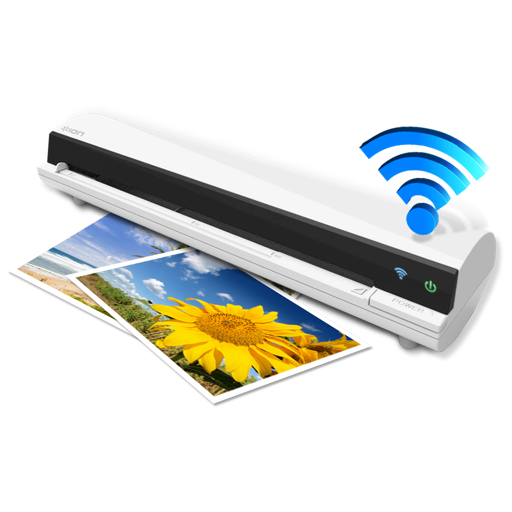
Air Copy
Ion Audio, LLC
Scan and share documents wirelessly.
The app works with the ION Air Copy hardware, a portable Wi-Fi scanner. It scans photos, receipts, business cards, notes, and documents up to US Legal size directly to a Mac, then shares them via email or social networking.

eMudhra App
eMudhra Limited
Sign documents and enrol for DSC
Sign PDF documents and take photos for eSign. View signed documents and history. Share signed files via email. Purchase DSC/eSign plans and receive physical tokens.

Easy File Sharing Web Server App
静俐 张
Share files anywhere, anytime, easily.
The app allows users to upload and download files between iOS devices and computers. It supports file and folder management, viewing various file types, and generating image thumbnails.

Document Scanner: PDF Doc Scan
Nadim Radjab
And export documents in multiple formats
Digitize documents like contracts, receipts, and notes into PDF or JPEG files. multiple items at once and combine them into a single PDF. Adjust image clarity and crop edges for better readability. Export and share scanned files directly.

ZipApp Pro: The Unarchiver
兰桂 吴
Unarchive files in multiple formats
Unarchive files in .zip, .rar, .7z, .bz2, .tar, .gz, and other formats. Open password-protected archives. Create .zip files from multiple files or entire directories. Transfer files via Wi-Fi or iTunes. Upload multiple files to cloud services.

File Manager Plus
Sin Yee Fan
Manage files, view documents, play music
Manage files with cloud storage access and network connectivity. View and edit documents, images, music, and videos. Compress or decompress files. Edit text and open/send files from other apps. Secure with passcode or Touch ID.

Auto PDF: AI OCR Scan Edit
MA CHENG BUSINESS LIMITED
, convert, and PDFs on the go
Convert images and documents to PDF using AI-powered OCR. multiple pages, merge or split files, and text directly. Save and share PDFs with precise formatting and clarity.

Doc.Scanner
Viktoriia Rohozhyna
Scan, edit, and share documents
Scan and edit documents, save them on your device. Share files as image, PDF, or text. Collaborate by sending documents to friends and colleagues.



iFiles
Tom Biel
Transfer files between devices and clouds
Manage files with a cloud file manager supporting Dropbox, Google Drive, iCloud, Box.net, SkyDrive, and SugarSync. Transfer files between devices and cloud services. View PDFs with annotations and search. Record voice notes. Download web content.
How we rank alternatives
Apps are ranked by functional similarity, category fit, rating confidence, and popularity.