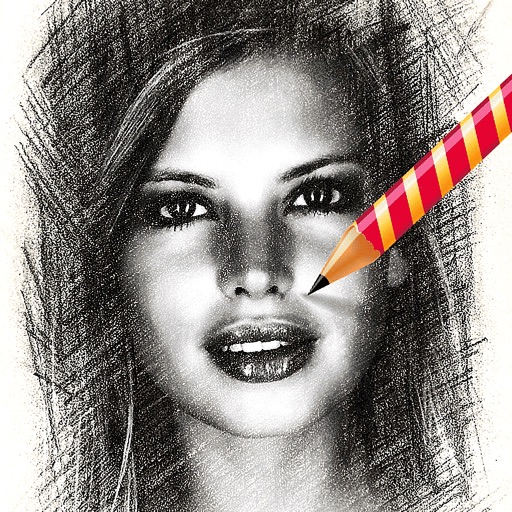
The app analyzes a user's photo and redraws it stroke by stroke on a blank paper. This free version has limitations including 1 megapixel output and no color sketches.
by Studio Mee★ 0.00 ratingsGraphics & DesignFreeData updated 2026-10-02
On with precise tools. Add text, shapes, and stickers. Insert layers and blend images. Create collages with frames and stamps. Design custom stickers and share directly via iMessage or the .
Create monsters by photographing hand-drawn sketches. Convert 2D images into 3D animated characters. Customize features like eyes, mouth, and color. Export creations to view in a movie universe preview. Share generated animations directly.
Allows users to using step-by-step tracing lessons. Features include color selection, layer management, and brush customization. Users can save and share artwork. The provides guided tutorials for improving drawing skills.
Create digital artwork with realistic painting and drawing tools. Use exclusive brushes mimicking real-world art mediums. Simulate fluid watercolor effects. Adjust brush settings for precision. Export artwork in various formats.
Use your phone to project templates onto paper for . Upload and create custom art. Access sections for anime, tattoos, and cars. Record video of your process. Sync drawings with AR features for enhanced sketching.
Create expressive sketches, rich paintings, and detailed illustrations. Use hundreds of handmade brushes and an advanced layer system. Animate with the Valkyrie graphics engine. Edit and export artwork in multiple formats.
Create light with 11 shape options including heart, light, and star. Apply random by tapping the photo. Save edited images in high quality and share them directly.
Add to with customizable fonts, sizes, colors, and effects. Adjust gradients, stroke, shadow, and background. Rotate and modify kerning and line spacing. Support curved and external font installation.
Edit photos and images with advanced tools for retouching, layering, and painting. Create multi-layered art and designs. Adjust colors, contrast, and lighting. Export in various formats and share directly.
Create and refine artwork using AI-powered tools and AR integration. Access 550+ lessons with character-based tutorials. Collaborate with others in real-time. Track progress and receive feedback. Export drawings in various formats.
Games allow users to select color by number puzzles and images by tapping colors. Features include on pages, recoloring existing artwork, and saving progress. Users can access pixel art books and sketch freely without internet connection.
Edit photos with auto enhancement, artistic sketches, beautiful paintings, and funny cartoons. Apply 700+ filters and . Add frames and stickers. Share edited photos directly.
Create realistic clothing mockups using AI-generated images and 3D models. Upload designs or sketches to generate photo-real product images. Choose from various mockup templates and adjust lighting and angles.
The app offers over 20 drawing tools that mimic real-life implements, including wet and dry watercolor brushes. It features a tracing projector, precision tools like rulers and shapes, and full layer support for creating detailed artwork.
Turn photos into realistic with advanced filtering and detailing tools. Create unlimited and save high-resolution versions. Capture photos directly within the for immediate creation.
Upload photos to create fine art. Apply oil-painting effects with adjustable brushstrokes and textures. Save and share high-resolution outputs. Customizable color palettes and brush sizes. Export images for printing or digital use.
Convert photos to various formats like JPG, PNG, GIF, and SVG. Select input file, choose output format, and convert in seconds. Save or open converted files in preferred apps. Supports multiple input and output formats.
Edit photos and videos into paintings using 31 presets and 12 professional tools. Apply AI-generated effects with machine learning assistance. Adjust colors, brushes, and textures for custom artwork. Export edited media in various formats.
Draw on physical paper using AR templates for tracing and sketching. Paint and color directly on paper with digital tools. Save and share artwork. Adjust brush settings for pressure sensitivity and stroke control.