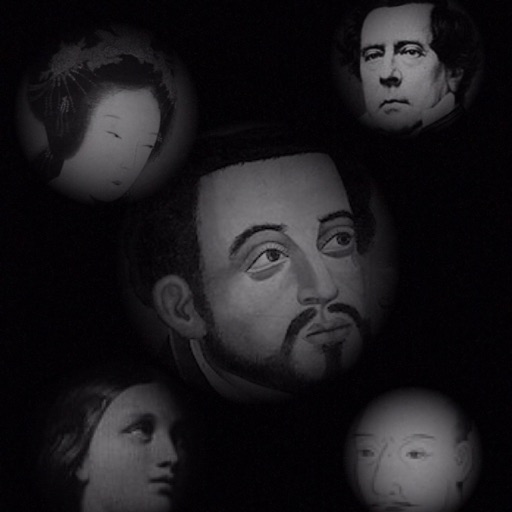
The app allows users to compose photos by combining images of people. Users can synthesize images in color or black and white, and adjust the size of faces using pinch gestures.
by Osawa Shunsuke★ 4.010 ratingsPhoto & VideoFreeData updated 2026-10-01
And enhance old photos with AI-powered tools. Remove scratches, repair damage, and convert black-and-white images to color. Adjust clarity, brightness, and contrast. Share edited photos directly.
Create photo collages and composite images by combining up to 11 photos in a single layer. Remove unwanted areas with the background eraser tool. Adjust color tones to enhance image appearance. Export edited photos in various formats.
Edit photos with unblur, restoration, and enhancement tools. Perform face aging, filtering, and swapping. Colorize black-and-white images and repair damaged photos. Retake photos using AI. Animate images and create HD art with one-tap AI generation.
Play a rhythm-based game by tapping only black while avoiding white ones. Customize playlists, choose from multiple color themes, and select from over 35 game modes. Features include soundtracks and smooth gameplay.
Turn photos into black-and-white pages with options like Manga, Mandala, and Pop Art. Upload images, select styles, and access a library of categories. Create clean outlines for digital .
The app allows users to create collages for iPhone or iPod Touch wallpaper using a multitouch interface. It offers creative options such as a black-and-white or sepia converter, border addition, and transparency adjustment.
Convert photos to black and white drawings for . Import photos from device or camera. Add colors using painting tools. Create drawings on blank canvas. Premium version offers more paint colors, opacity control, and outline editing. Removes ads.
RAY INFORMATICS YAZILIM TEKNOLOJI MEDYA DANISMANLIK VE EGITIM TICARET LIMITED SIRKETI
Photos with AI in one tap
Enhance and black and white photos using AI. Adjust brightness, contrast, and color balance. Apply automatic colorization with one tap. Save and share edited photos in various formats.
Edit photos with custom cropping, flipping, and rotating tools. Adjust incline and stretch for precise edits. Apply cinema-grade color grading and one-touch Magic Sky edits. Use poster templates for creative layouts.
Edit photos with selective colorization effects. Adjust images using pinch to zoom and pan for detailed editing. Apply AI-powered styles automatically. Convert images between grayscale and color. Share via email or album.
Edit photos with brushes and black-and-white effects
Edit photos by converting them to black and white and selectively retaining with a finger brush tool. Zoom in and out using two-finger pinching for precise adjustments. Share edited images via email or upload to Twitter, Flickr, or Dropbox.
Edit photos with auto tuning, background change, and blur features. Retouch faces with skin and feature enhancements. Adjust colors, brightness, and contrast. Add text and stickers. Export in various formats and share directly.
Convert selfies into biometric -size photos compliant with , ID, visa, Green Card, student card, and driver's license requirements. Automatically adjust photos for size, background, and lighting.
Choose a photo from your camera roll or take a new one, then apply effects automatically. Select from various styles, adjust positioning, zoom, and customize edits. Save and share the final .
Create custom wallpapers with scaling and resizing options on various backgrounds. Choose from color, gradient, pattern, bokeh, and text effects. Apply parallax effect for all iPhone and iPad devices.
A retro simulates low-resolution image capture with vintage artifacts like bayer filter patterns, noise, and blooming. Users can pinch to zoom, adjust exposure, and export photos in JPEG format.
Edit photos with AI-powered clarity enhancement, blur reduction, and detail sharpening. Restore old images by removing scratches and colorizing faded areas. rtistic variations with different styles and filters.