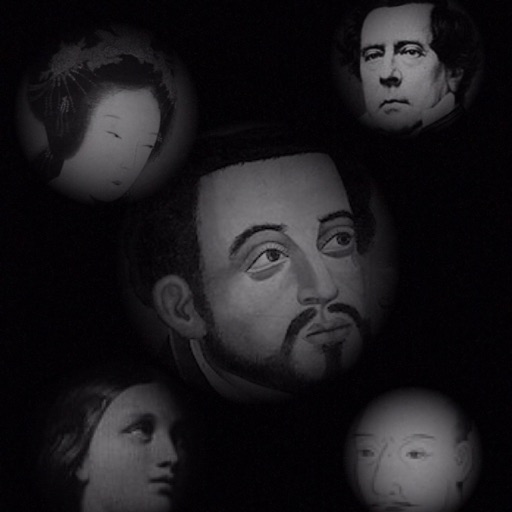
The app allows users to compose photos by combining images of people. Users can synthesize images in color or black and white, and adjust the size of faces using pinch gestures.
by Osawa Shunsuke★ 4.010 ratingsPhoto & VideoFreeData updated 2026-10-01
Edit photos with one-click body reshaping and scene-adaptive optimization. Adjust parameters for precise control. Apply regularly updated filters. Enhance body proportions by identifying 30+ key points. Share edited images directly.
Edit photos with filters, stickers, and makeup tools. Smooth skin by swiping over wrinkles and blemishes. Reshape face and body with 21 micro-adjustments. Beautify photos with one tap. Apply magic sky filters and other style options.
Photos to save storage space. Adjust JPG compression strength and image size reduction. single images, multiple files, or entire albums. Preview compressed results before saving.
Edit photos by applying textured overlays and effects. Choose from a variety of artistic filters and textures. Save and share edited images directly. View user-generated examples on Instagram.
Edit photos with AI muscle enhancement, reshaping, and face retouching. Add beards and hairstyles. Remove backgrounds. Reconfigure faces with AI reface. Adjust muscles, arms, and chest. Export edited images.
Capture photos with signature color and style. Adjust exposure, focus, and white balance manually. Select from multiple film simulation modes. Edit images with basic tools. Share photos directly from the .
Cut photos with AI to remove backgrounds and isolate subjects. them onto new backgrounds or other images. Swap faces between photos and add missing people to family shots. Create collages by combining multiple images.
Color pieces to complete a black-and-white image. Match puzzle fragments to the correct spots. Choose from unique artwork to color. Add colors to bring the picture to life. Save completed artwork for later.
Record with a pause button to stop and restart recording. Trim and cut videos using the built-in editor. Apply filters like black and white, sepia, or hipster. Save videos in 4K format.
Cats in black-and-white puzzles. Unlock collectible cats and explore themed locations. View vibrant visuals and complete challenging gameplay. Start spotting cats in each puzzle.
Edit photos with filters, cropping, and adjustments. Add text and stickers. Use beauty tools to enhance skin tone and reduce imions. Share edited photos directly. Create custom stickers from images or text.
Enhance blurry, pixelated, or damaged images using AI. Adjust clarity, color, and brightness. Apply filters and effects. Restore old photos and damaged images. Export enhanced photos in various formats.
Convert to grayscale and highlight a specific . Tap to select the to emphasize. Preserve detail and apply effects using advanced computer vision. Export edited images directly.
Allows users to view their reflection using the front camera. They can freeze the image for closer inspection, pinch to zoom in on details, flip the image to see themselves as others do. Users can save photos taken through the .
Convert photos into sketches using up to six different image effects. Apply filters, adjust contrast, and save or share the edited images. Export in various formats and view before-and-after comparisons.
Create collages by combining photos and templates. Add text, stickers, and frames. Choose from various styles and themes. Share finished collages on social media or via email. Edit images with basic tools like cropping and brightness adjustment.
Capture high-quality photos with resembling DSLR functionality. Adjust focus, exposure, and other settings via gesture-based interfaces. View focus peaking and use a 4x magnifier for precise focusing. Display minimum focus distance for macro shots.
Edit photos with splash effects, convert images to black and white, or apply custom colors. Add filters, zoom in on photos, and use a brush tool. Export and share edited images directly.