A stopwatch with a large display and two big buttons allows users to start, stop, and reset timing. It provides precise countdown and lap tracking functions.
by Tim O's Studios, LLC★ 4.931,992 ratingsUtilitiesFreeData updated 2026-09-08
Customizable with large text that can be pressed. Export laps in CSV format. Start, pause, and reset by pressing or long-pressing text. Add laps by swiping down. Adjust displayed milliseconds. Undo accidental reset. Delete laps by swiping.
Roku TV with a universal . Adjust volume, change channels, and navigate menus. Access voice search, screen mirroring, and system settings. Manage playback and customize shortcut buttons. Sync with multiple devices and view channel listings.
Measure and display real-time frequency spectrum with Spectrum RTA. Calibrate monitor levels using the Level Meter. Determine optimal EQ presets with EQ Recommendation. Align monitors for accurate sound with Monitor Align.
Create comparisons by placing two images side by side in an interactive . Adjust the split point to highlight changes. Share the comparison directly or export as an image. Support multiple aspect ratios for different display needs.
Create personalized by placing and resizing built-in panels. Organize content across multiple pages with Pro. Display on a big screen via AirPlay. Show date and time, upcoming events, and other customizable widgets.
The app provides two sound options: a vuvuzela blast and a stadium ambiance simulating multiple vuvuzelas. Users can activate the vuvuzela blast by touching a button and hold the stadium sound by pressing another button.
Displays calculations in a scrollable format for easy review. Users can track calculation history, perform basic arithmetic, and use a scientific mode for advanced functions. Input and results are visible simultaneously for accuracy.
Items with a simple tally . Tap to increase or decrease numbers. Autosaves progress. Clear or undo entries. No advertisements. Large buttons for easy use without looking at the screen.
Perform calculations with a standard interface and advanced engineering functions. Input numbers and equations, use parentheses, and access scientific operations. Adjust display settings and save history for quick reference.
Track counts with customizable counters for sets, laps, items, or habits. Set goals with progress rings and receive haptic feedback on each tap. Organize counters using folders and color labels. Export data or share results directly.
Manage multiple counters with unlimited creation and customization options. Personalize each with distinct colors. Sort counters by name or value. Track and reset counts as needed. Export data to CSV for record-keeping.
A and with landscape mode support. measures time in milliseconds and tracks lap times. allows setting custom durations, saving multiple times, editing, and deleting saved times.
Provide lighting with multiple modes including slider, toggle, and custom presets. Use strobe mode with adjustable speed. Activate SOS mode for emergency signals. Display full-screen color light for ambient purposes.
Interval allows users to set intervals and recovery times. Users can start and stop sessions with a simple interface. Sessions are saved for quick access in future uses.
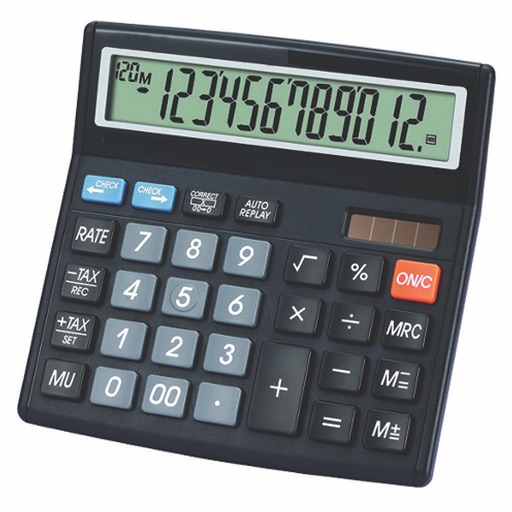
Calculate taxes with real-time GST rate updates. Input values to compute and GST amounts. Use memory functions M+, M-, MR, MU for financial calculations. Switch between two button layouts for easier navigation.
Control timers for meeting sections with start/stop/reset functions. Adjust timer colors from white to yellow to red. Collapse meeting parts and trigger sound alerts for time changes.
Records GPS data for precise lap timing. Displays real-time lap times and predictive times. Integrates with Sport for enhanced accuracy. Tracks vehicle performance metrics. Syncs with iPhone or iPad for data review.