Edit photos by flipping or mirroring with a finger swipe. Resize images using the same gesture. Create mirrored copies next to original photos. Save and share edited images directly.
by Hor-Lin Khai★ 4.7544 ratingsPhoto & VideoFreeData updated 2026-09-08
Reduce photo size using 10 predefined levels or custom dimensions. Crop images to any position and size. Rotate photos in 90-degree increments or straighten them. Adjust orientation and export edited files.
Add subtitles and images to videos. Edit video clips and adjust timing. Access tutorial videos from the main screen. Request permissions for photos, microphone, and camera in settings.
Scan documents, notes, photos, receipts, and books into PDF or JPEG files. Use OCR to convert images into text. Export scanned files and share them directly. Batch scan multiple items at once.
Create collages using over 50 templates. Customize layouts, add text, and include photos or videos. images with filters, cropping, and manual adjustments. Shoot photos with manual camera controls. Export and share edited content in various formats.
Edit photos using like Linear, Vignette, and Sepia. Adjust brightness, contrast, and color with tone curve tools. Apply blur, focus, and rotation. Add stickers, text, and emoticons. Crop and resize images.
Take photos with real-time beauty filters and effects. Apply makeup and adjust skin tone instantly. Use photo filters to enhance images. Create collages by combining multiple photos. Edit with blur, whiten, and other tools.
Resize and crop images with precise aspect ratio control. Batch process multiple files for efficiency. Export in various sizes including @2x and @3x. Edit metadata and prepare images for social media or professional design use.
And videos to correct orientation or invert the image. Adjust portrait or landscape orientation directly on the device. Edit videos by flipping them upside down or rotating to match desired format. Save and share modified videos.
Create collages by combining multiple photos into a single . Resize the , adjust rounded corners, change resolution, and modify the color. Rotate individual images within the . Premium plan offers additional features and auto-renewing subscriptions.
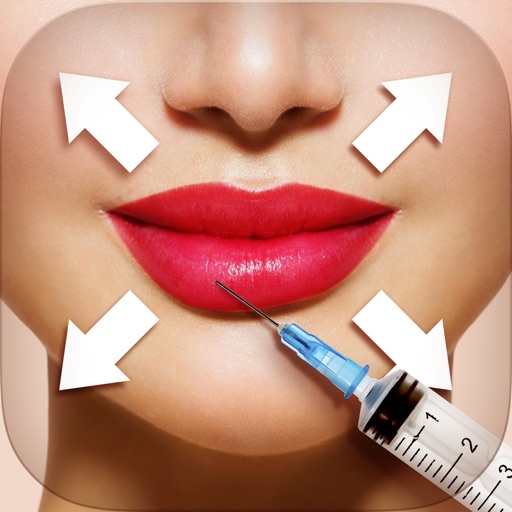
Edit photos with tool to reshape body parts. Use reconstruct brush to adjust features. Resize , breasts, and waist. Add filters and effects. Save and share edited images.
Edit photos by applying and effects. Select images from the gallery or camera. Adjust frame position, size, and angle. Choose from multiple stylish frame options and effects.
Allows users to resize photos to dimensions. It offers basic editing tools such as cropping, adjusting brightness, and adding text. Users can generate images for social media sharing and export edited photos directly.
Apply effects to photos and videos by inverting colors. Adjust brightness and contrast. Save edited media to gallery. Share directly from . Draw on images to customize effects.
And PDF files by selecting pages or ranges. Extract individual pages for easy sharing. Combine multiple documents into one. Save and share edited PDFs directly from the .
The app allows users to combine photos and music to create slideshow videos. Users can choose and arrange photos, edit them, add transitions, select music, and then save or share the video.
Create cards, collages, and postcards with holiday
Create personalized cards, collages, and postcards with themed for Thanksgiving, , and Halloween. Add text, stickers, and decorations to photos. Share edited images on social media. Collaborate with others to edit and decorate photos.
Edit videos by reversing, flipping, trimming, and rotating clips. Import videos, apply adjustments, and save or share edited files instantly. Create backward videos and adjust orientation for different viewing angles.
Take photos with single-tap effects and professionally designed filters. Adjust brightness and contrast. Apply blur and focus. Rotate and crop images. Export edited photos in various formats.
The app converts photos into comic book drawings with thick outlines and bold colors. Users can choose from five comic styles and add custom messages to speech bubbles.
Edit photos with color filters, brightness, and contrast adjustments. Add stickers and text. Apply film-inspired presets and advanced camera controls. Export edited images in multiple formats.