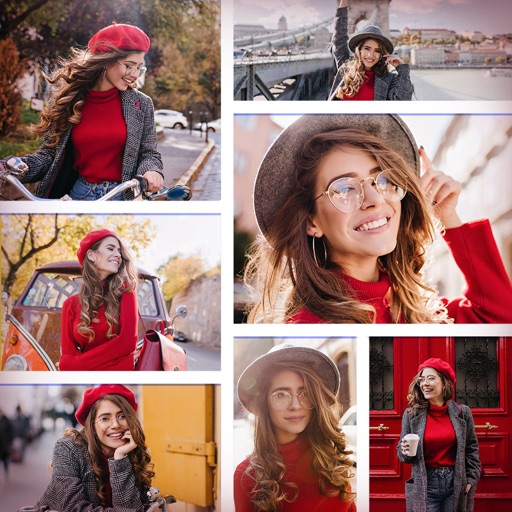
Edit photos with over 20 available effects. Apply filters, adjust brightness and contrast. Crop and rotate images. Save and share edited photos directly.
by 源 温★ 0.00 ratingsPhoto & Video$2.99Data updated 2026-09-08
Edit photos with AI-powered enhancement, colorization, and object removal. Adjust lighting, sharpen details, and correct imions. Apply filters and restore old photos. Export edited images in various formats.
Edit photos and videos with AI-powered tools for refinement, makeup application, adjustment, and background changes. Apply presets and filters. Use smart assistant for creative suggestions. Export and share edited content.
Edit photos with , rotate, and custom rotation tools. Resize images and adjust pixel dimensions. Change aspect ratio and apply effects. Save edited photos in JPEG or PNG format and store them in the gallery.
Apply -style to photos for instant professional edits. Choose from 105+ categories with over 950 . Adjust brightness, contrast, and color tones. Export edited images in various formats. Share directly to social media or save to device.
Edit photos and videos with overlays, vintage effects, and 100+ filters. Adjust lighting, add dust effects, and create custom presets. Export edited content for Instagram, TikTok, or Pinterest. Sync edits across devices.
Record video with options for 30 seconds, 60 seconds, or unlimited length. Apply over 50 filters, 5 effects, and 4 lenses during recording. Edit videos with studio features including trimming, adjusting brightness, and adding text.
Edit photos to adjust shape with tools for slimming, heightening, and figure correction. Apply filters and effects to enhance appearance. Save and share edited images directly to social media platforms like Instagram and Facebook.
Edit videos and to create tilt-shift effects with adjustable parameters like depth of field and focus. Apply filters, adjust colors, and add motion blur. Export edited content in various formats and share directly.
Take photos with multiple filters, light leaks, and effects. Use a timer, volume keys, and composition lines. Crop images in various ratios. Edit photos with filters and apply them to images taken with other apps.
Edit photos with filters, backgrounds, captions, and stickers. Add themed frames for holidays, birthdays, and milestones. Create collages and apply special effects. Share edited images directly.
Edit photos with auto and drawing tools. Apply 20+ effects and unique shapes. Zoom for high-resolution details. Use brush offset to avoid finger interference. Preview and adjust focus areas. Export edited images directly.
Edit photos to change using 40+ pre-defined shades. Draw and erase unwanted areas. Save edited images. Apply visual effects without makeup. Adjust and preview changes instantly.
Edit photos with AI , avatar creation, and future baby prediction. Apply filters and effects with one tap. Share edited images directly or export in various formats.
Convert static photos into dynamic AI videos with cinematic effects. Add music, text, and transitions. Share directly to social media platforms. Edit video clips, adjust timing, and apply filters. Save and export in various formats.
Take selfies with a live beauty and apply custom filters. Create collages in 18 styles with masks and frames. Add spiral or neon effects to photos. Enhance and save library images. Capture selfies with a timer.
Convert photos to black and white, sepia, or mono formats. Apply splashes to specific areas using touch. Adjust effects like hue, saturation, and contrast. Add photo filters for enhanced visuals. Export edited images in various formats.
Convert photos into cartoons, anime, or artistic styles using AI technology. Apply filters to alter appearance and style. Upload selfies or images for transformation. Share edited results directly.
Arthur Eduardo Skaetta Alvarez Desenvolvimento de Software LTDA.
Blur backgrounds, enhance portraits
Edit photos with blur and AI-powered segmentation to isolate subjects. Apply multiple blur effects and adjust settings for precise results. Export edited images in various formats and share directly.
Create collages by combining multiple photos and videos. Choose from , poster, or editor modes. Adjust layouts, add effects, and stitch content together. Edit images with filters, cropping, and text overlays.