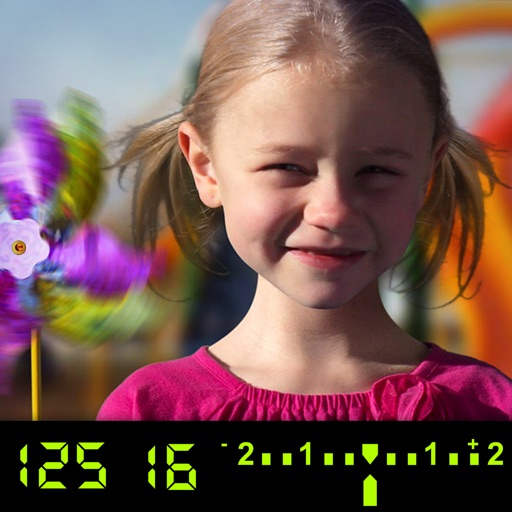
The app visually explains DSLR camera controls and allows users to experience the effects of various settings. It provides instant feedback and advice on user settings, making it a tool for learning photography.
by Tuitive, LLC★ 3.613 ratingsEducation$1.99Data updated 2026-09-25
Edit videos by trimming, cutting, and cropping clips. Overlay stickers and multiple clips. Add music to enhance videos. Create professional-looking vlogs with intuitive tools. Export and share finished videos directly.
Capture with real-time live effects and color presets. Apply adjustable effects and enhance colors simultaneously. Use screen flash for better results in low light. Share directly from the .
Capture photos with analog effects including black and white negatives, vintage negatives, and Lomo . Apply 95 filters for grain, light leaks, and blur. Adjust color, contrast, and brightness for realistic tones. Export and share edited photos.
Capture photos and videos with control over focus, exposure, ISO, shutter speed, white balance, and flash. Enable RAW capture, real-time histogram, focus peaking, and lock exposure and white balance.
Select and edit photos from the album or camera. Use the lasso tool to draw a closed path for blurring. Adjust difficult areas with the Touch feature. Apply over 30 effects and fine-tune the selection.
Adjust exposure, focus, and white balance manually. Control shutter speed and ISO settings. Use a gray card for accurate white balance calibration. Capture high-quality photos with full manual camera controls.
Edit photos with AI art style transfer and realistic filters. Add beautiful frames and apply FX or blur effects. Turn portraits into canvases or cartoons with magic effects. Use lens tools for lighting and adjust colors manually.
Teaches children to correctly using animated step-by-step guidance. Features include drawing animals, flowers, and objects with assisted strokes. Includes difficulty levels to practice sketch formation and fine motor skills.
View and edit for photos and videos. Display location data, camera model, aperture, shutter speed, ISO, and other tags. Remove or modify fields. Manage file names and timestamps.
View image such as measurements, DPI, file size, location data, and device information. Import images via drag and drop from Photos, Files, or Safari. Display in a card-based layout for easy reference.
Capture 360° HDRi images using multi-exposure panoramas. Adjust dynamic range settings. Stitch and export 32-bit EXR format files. Generate realistic 3D lighting and lightmaps for animation and compositing.
Offers manual camera controls for iPhone, including shutter speed, aperture, ISO, and focus. Users can adjust exposure, white balance, and metering. high-quality with customizable settings. Save and share images directly.
Turn your iPhone or iPad into a kaleidoscope camera. Capture images with dynamic, shifting patterns. Adjust color and brightness settings. Share photos directly from the .
Scan text from images or documents and it to your clipboard. Supports multiple languages including English, Spanish, French, and more. No file saving or translation features.
Remove backgrounds from images by drawing a closed curve. Automatically erase similar color areas for transparent results. Adjust brush size for precise edits. Pan, zoom, and rotate images.