Capture with real-time live effects and color presets. Apply adjustable effects and enhance colors simultaneously. Use screen flash for better results in low light. Share directly from the .
by Ratha Sou★ 4.4734 ratingsPhoto & VideoFreeData updated 2026-09-08
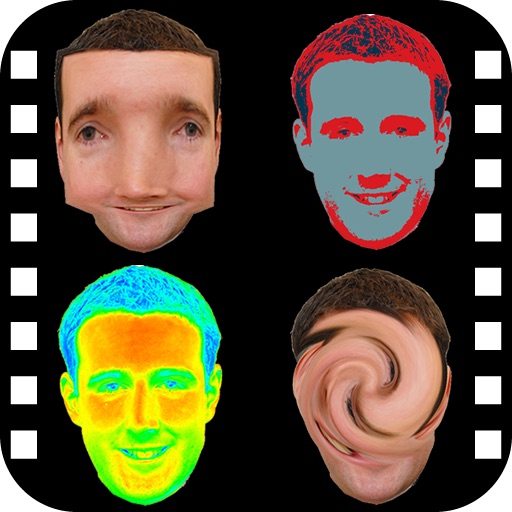
Take photos with front- and rear-facing cameras. Apply real-time effects like Twirl, Light Tunnel, X-Ray, Squeeze, and Kaleidoscope. Share photos via AirDrop, Mail, Messages, iCloud, or social networks.
Edit photos with 200+ filters and AI art effects for enhanced visuals. Adjust brightness, contrast, and saturation. Add text, stickers, and animated effects. Export in various formats and share directly. Apply AI flash for vintage aesthetics.
Capture photos and videos with real-time filters applying effects during recording. Adjust filter position by tapping, swiping, or pinching. Edit videos with multiple filter styles ranging from funny to artistic. Share edited content directly.
Edit photos with enhancement tools, effects, and color splash. Add stickers, frames, and overlays. Create collages and custom drawings. Crop, rotate, flip, and straighten images. Adjust brightness, contrast, and saturation.
Create portraits with vintage photographic effects. Apply four styles including B&W, color, high contrast, and sepia. Adjust eye intensity, grain, and depth-of-field. Supports portrait mode for enhanced background blur.
Capture photos and videos directly or from your library. Apply handcrafted color presets for rich contrast and character. Add unique film grain and texture generated on-device. Use effects like light leaks, bloom, and threshold for custom edits.
Edit photos and videos with customizable , presets, and effects. Add grain, dust, blur, and dark effects. Adjust colors and create atmospheric effects. Share edited content directly.
The app provides a photo editing experience with numerous effects. Users can select a picture and apply various filters like Night Vision, Heat Cam, Ripple, and Alien.
Edit photos with 60+ presets and filters including film-inspired tones, vintage looks, moody edits, and retro grain. Apply filters live during photo capture. Export edited images in various formats and share directly.
Edit photos with HSL adjustments for precise color control. Resize images to fit various frame ratios or remove frames. Add blur effects to backgrounds. Create collages from multiple photos. Apply filters, crop, and adjust brightness and contrast.
Fry the last frame of videos to upload to TikTok. Edit memes by frying images or GIFs from the photo library or Gfycat. Share finished memes to camera roll or via iMessage as stickers. Open created memes in TikTok and Snapchat.
Take portrait selfies with front and rear camera switching via tap or shake. Use night mode for low-light shots. Auto mirror and timer functions available. Create grid collages with 1:1 and 4:3 layouts using 1 to 9 grids.
Create graphics and animations with multiple layers of video, graphics, and audio. Edit vector and bitmap elements directly on your device. Use 160+ effect building blocks to design complex visual effects.
Edit photos with crop, rotate, exposure, color, sharpness, and resize tools. Create grid collages and edit individual images. Access presets, clone tool, and fine curve adjustments for detailed edits. Export and share edited photos directly.
Edit photos and videos with over 1000 effects. Transform images by twisting, morphing, pinching, and warping. Create 3D mazes from photos. Play interactive games with media. Export edited content in various formats.
Take photos and videos with 9 customizable effects including smile enhancement, face stretching, and character transformations. Adjust effects on-screen. Share images and videos via email, Twitter, or Facebook.