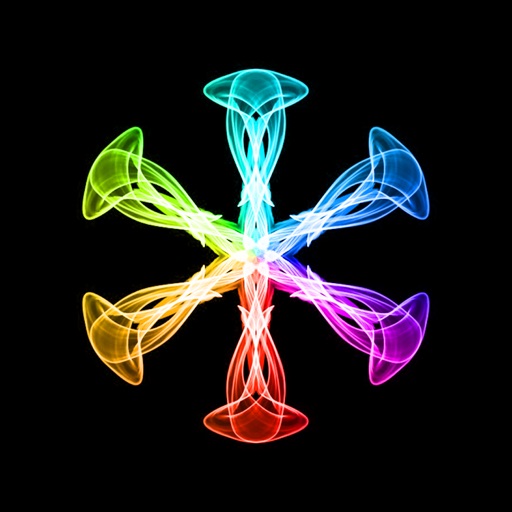
Create art with a brush that generates unique curves not found in other drawing tools. Use adjustable settings to customize brush behavior. Draw freehand or use predefined patterns. Export artwork in various formats and share directly.
by Anatoly Weinstein★ 3.813 ratingsPhoto & Video$3.99Data updated 2026-09-08
Create still or animated drawings that flow and evolve. Use generative brushes for natural, responsive sketching. Design fluid artwork for backgrounds or sharing. Adjust brush settings for precise control. Export drawings in various formats.
The app simulates watercolor blending and spreading behaviors using fluid simulation technology. It supports techniques like wet-in-wet, wet-in-dry, dry brush, and dry on wet, along with pencil sketching.
Create and customize grids on images for drawing and painting. Place grids over photos to use as reference. Adjust size and spacing. Export layers for use in digital art tools.
Create intricate drawings with customizable symmetry, background color, and brush settings. Apply shadows and use predefined patterns or images for inspiration. Export and share finished designs.
The app offers a painting experience on iOS devices with an OpenGL-based engine. It records and replays the creative process and supports large canvas dimensions.
The app offers drawing tools, color options, and frame management for creating animations. Users can export animations to video or animated GIF formats and share them.
Color pages with tap, swipe, and brush adjustments. Choose from kawaii-style illustrations featuring bears, bunnies, flowers, and scenes. Use soft pastel color palettes for a gentle, dreamy experience.
Edit photos with live video filters and custom effects. Adjust filter settings for precise control. Use advanced colouring tools to enhance details. Export edited images in various formats.
Offers and themed pages for drawing. Users can select from characters, animals, robots, and princesses. Features include easy navigation, saving progress, and exporting artwork. Suitable for all ages and interests in creative drawing.
Create art with 10 brushes. Adjust brush size and color randomly. Import photos to doodle on. Add drawings to family images for customization. Save and share completed artwork.
Color drawings, solve puzzles, interact with sounds
Create drawings to color with an incredible sensitive paint brush. Solve puzzles with sounds and interactive backgrounds. Features simplified interaction for young children and proprietary "MAGIC BORDER" technology. Includes a fun happy ending scene.
Create animations using finger or Apple Pencil drawings. Access traditional tools like paint palette, auto-save, onion skin, brush, eraser, and frame controls. Duplicate, insert, and copy/paste frames. Export animations as MP4 files for sharing.
Create traditional hand-drawn animations with support for Apple Pencil or finger input. Use the traditional xsheet for timing and thumbnail previews. Enjoy smooth, natural drawing with automatic onion skin lighting for better visibility.
The app uses live-calculated brushes and strokes with HDR values for a unique art style. It offers gritty paper/canvas textures that interact with drawing tools for a satisfying look.
Create tie-dye designs by selecting a shirt, folding it, placing rubber bands, and applying colors. Customize with fabric paints, glitter, rhinestones, and appliqués. Try on virtual models, save designs to a photo album, and email them.
Edit photos with advanced filters, color adjustments, and mathematical transforms. Apply custom brushes and import Photoshop brushes, curves, and fonts. Repaint images and export in various formats. Share edited work on Instagram.
Edit photos with filters, masking tools, and multiple filter layers. Apply selective filters using advanced masking to create effects like color splash or tilt shift. Adjust and combine filters for custom results.