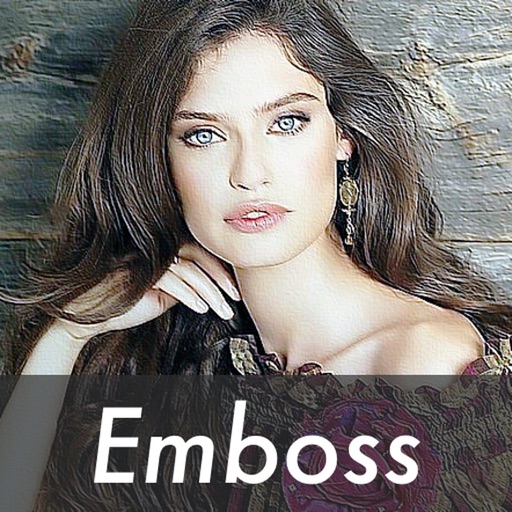
The app transforms photos into dimensional raised-surface artwork with adjustable depth and direction. Users can compare original and edited images with a live split preview and save selected effect settings.
by 福恩 毛★ 3.85 ratingsPhoto & VideoFreeData updated 2026-09-24
Edit photos and videos with one-tap presets or filters. Adjust details using retouch tools, object removal, background blur, and precise editing. Export edited content in various formats. Share directly from the .
Edit photos by converting them to black and white while retaining selected details. Use multi-touch gestures to paint areas in black and white or restore original colors. Zoom in and out with two-finger pinching. Adjust and export edited images.
Capture photos and videos directly or from your library. Apply handcrafted color presets for rich contrast and character. Add unique film grain and texture generated on-device. Use effects like light leaks, bloom, and threshold for custom edits.
Edit videos by importing any length footage and selecting a layout or stencil. Add text or stickers. Cut video into 15-second fragments or custom lengths. Save clips to Camera Roll in chronological order. Share edited videos on Instagram Stories.
Create artwork using vibrant neon colors and glowing brushes. Draw on a large canvas with sketch tools. Adjust effects and export designs in various formats.
Capture with real-time live effects and color presets. Apply adjustable effects and enhance colors simultaneously. Use screen flash for better results in low light. Share directly from the .
Edit photos and videos with like Analog Noise, Digital Noise, and VHS Noise. Apply such as Color Aberration, Datamosh, and Pixel Sorting. Save edited content as animated GIFs. Export in 4K resolution.
Create poster or template collages with up to 20 photos or videos. Add text to images or videos. Edit photos with filters, cropping, and adjustments. Enhance visuals with artistic text overlays. Export collages in multiple formats.
Edit photos with one-click body reshaping and scene-adaptive optimization. Adjust parameters for precise control. Apply regularly updated filters. Enhance body proportions by identifying 30+ key points. Share edited images directly.
Pic allows users to divide their camera view into sections using various free layouts. They can take photos or import images from the Camera Roll and arrange them in different orders.
Convert photos into sketches using up to six different image effects. Apply filters, adjust contrast, and save or share the edited images. Export in various formats and view before-and-after comparisons.
Edit photos with AI-powered tools to remove backgrounds, generate avatars, and enhance image quality. Add filters, adjust colors, and crop images. Save and share edited photos directly.
Take photos with analog-style cameras featuring filters and film grain. Adjust exposure, focus, and white balance manually. Share images directly to social media or save to the roll.
Photos with clipping tools to remove backgrounds, apply predefined effects like glitch and duotone, and enhance images with magazine-level touch-ups. Add text, stickers, and unlimited undo/redo features.
Edit photos with filters, light overlays, and aesthetic design elements. Crop, resize, and add borders or shapes. Create collages with multiple layout templates. Include stickers and share edited images on Instagram or Facebook.
Edit photos with AI-powered filters and neural network enhancements. Apply artistic styles to create paintings. Export in 64 megapixel lossless format. Print artwork on canvas, T-shirts, or comic books.