The app offers professional editing tools, beauty enhancements, and special effects. Users can apply stickers, create classic collages, and design fashionable posters with InstaMag.
Create collages by combining pictures, videos, or a mix of both. Choose between sequential or delayed video playback. Use built-in layouts or design custom ones. Select from 1:1, 9:16, 3:4 ratios or set custom proportions.
Edit photos with background removal, object elimination, and AI-style transfer. Add text, stickers, and custom fonts. Generate AI art, create flyers, and apply effects. Export in various formats and share directly.
Create collages with customizable Polaroid, SCRL-style scroll, and grid layouts. Choose from modern, vintage, minimal, and film-style . Adjust colors, borders, and text. Export with transparent backgrounds and share directly.
Create photo collages by combining 2 to 9 images into one. Adjust size, position, and layout. Choose from various templates and styles. Add stickers, frames, effects, and patterns. Share finished collages directly.
Create collages with customizable layouts and shaped frames. Apply filters and edit photos. Add text, stickers, and signatures. Export and share finished collages.
Edit photos with AI muscle enhancement, reshaping, and face retouching. Add beards and hairstyles. Remove backgrounds. Reconfigure faces with AI reface. Adjust muscles, arms, and chest. Export edited images.
Edit photos with filters, contrast, brightness, and color adjustments. Add text, stickers, and drawing tools. Customize images and landscapes. Export in high quality. Access a free image library. Apply advanced editing features.
Create collages in custom sizes. Choose from 300 layouts. Place images manually or automatically. Export for video, social media, or printing. Set dimensions for specific paper sizes. Share or save collages directly.
Create collages with up to 16 images. Rearrange photos and select from 200+ grid layouts. Adjust spacing, padding, and layout ratio. Apply filters to multiple photos or individually.
Remove backgrounds from photos and videos using advanced neural network technology. Change backgrounds to any desired image. Use presets or customize styles. Edit, resize, rotate, and crop media. Apply filters, add stickers, logos, and text.
Edit photos with filters, masking tools, and multiple filter layers. Apply selective filters using advanced masking to create effects like color splash or tilt shift. Adjust and combine filters for custom results.
Create double exposure effects by blending two images. Adjust opacity and alignment for custom overlays. Save and share edited photos directly. Access advanced editing tools with a premium subscription.
Create collages by combining multiple photos and videos. Choose from , poster, or editor modes. Adjust layouts, add effects, and stitch content together. Edit images with filters, cropping, and text overlays.
Edit photos with filters, light leaks, and templates. Add frames and text. Share directly to social media. Access monthly updated filters. Adjust brightness and contrast. Crop and rotate images. Export in various formats.
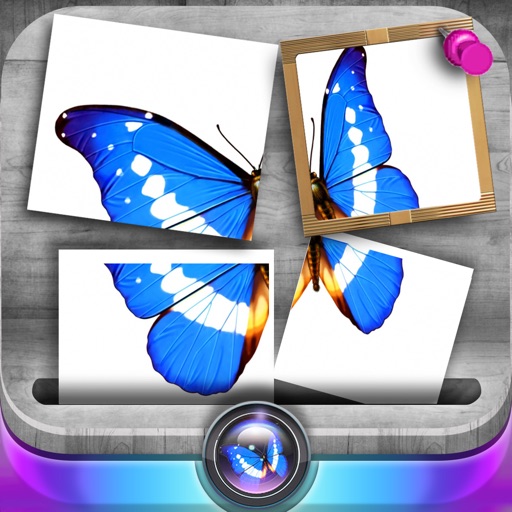
Edit photos by slicing and reassembling them freely. Decorate slices with stickers, frames, text boxes, backgrounds, and filters. Combine multiple photos by to create custom art.
Create collages by combining photos and templates. Add text, stickers, and frames. Choose from various styles and themes. Share finished collages on social media or via email. Edit images with basic tools like cropping and brightness adjustment.