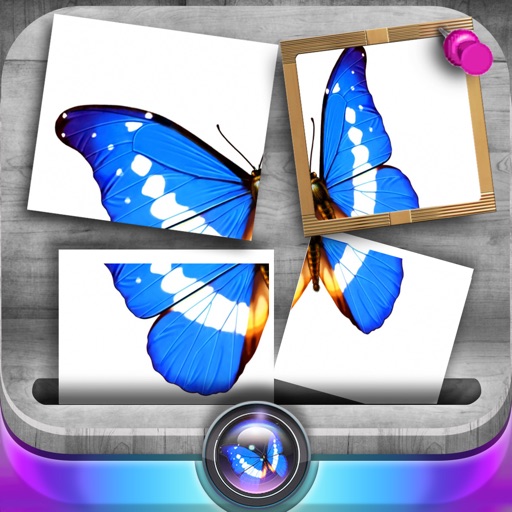
Apps Like Pic Slice Free – Picture Collage, Effects Studio & Photo Editor for iPhone and iPad
And reassemble photos
Edit photos by slicing and reassembling them freely. Decorate slices with stickers, frames, text boxes, backgrounds, and filters. Combine multiple photos by to create custom art.
by MULIAN LI★ 4.661 ratingsPhoto & VideoFreeData updated 2026-09-08
Create collages by combining photos, adding stickers, and applying effects. Choose from multiple layouts and templates. Edit images with cropping and filters. Share finished collages directly to social media.
Create collages with over 1000 layouts and customize with filters, frames, and text. Edit photos using cropping, adjustments, and stickers. Save and share edited images directly.
Edit photos with filters, cropping, and adjustments. Add text, stickers, and frames. Create collages by combining multiple images. Share directly to social media. Apply effects and choose from various fonts and stickers.
Create collages using photos and videos. Add text, stickers, and backgrounds. Include video clips in collages. Share finished projects directly. Edit images with cropping and filters. Save and export in various formats.
Edit photos with enhancement tools, effects, and color splash. Add stickers, frames, and overlays. Create collages and custom drawings. Crop, rotate, flip, and straighten images. Adjust brightness, contrast, and saturation.
Edit photos with filters, backgrounds, and effects. Adjust skin tone, eyes, and hair. Apply one-tap enhancements for natural results. Share edited images directly to social media. Add text and stickers to photos. Export in multiple formats.
Create collages by combining up to 16 photos. Choose from 250+ templates. Import and resize photos. Customize with backgrounds, frames, stickers, and text. Adjust angles and select from various fonts and colors.
Edit photos and videos with AI-powered tools. Apply instant presets for enhanced visuals. Auto-remove backgrounds and generate captions from speech. Export in multiple formats and share directly.
Create collages with 20000+ layouts and effects. Add stickers and text to photos. Edit images with cropping and filters. Make videos with carousel and slideshow options. Share directly to Instagram.
The app combines multiple photos into one framed picture. Users can add patterns, stickers, text, borders, filters, shapes, and frames to their photos.
Create collages using 10000+ free layouts, effects, stickers, fonts, and backgrounds. Edit photos with cropping, filters, and text tools. Save and share collages as images or stories.
Edit photos with filters, effects, frames, and graphics. Add text and stickers. Share edited images directly. Apply custom overlays and adjust brightness, contrast, and saturation. Save and export in various formats.
Edit photos with filters, cropping, and brightness adjustments. Add text, stickers, and frames. Create collages and enhance images for social sharing. Trim and cut videos. Export in multiple formats and share directly.
Edit photos with filters, cropping, and AI enhancements. Adjust colors and brightness. Add text, stickers, and overlays. Create collages and cards. Edit videos with trimming, transitions, and effects. logos, flyers, and social media content.
Create collages by arranging photos and adding editing elements like frames, stickers, and text. Adjust colors and brightness. Export collages in various formats and share via social media or messaging.
Edit photos with background blur, skin smoothing, and artistic filters. Remove distractions and enhance details. Add text and stickers. Share directly to social media or save in high-quality formats.
Edit photos and videos with grid layouts, templates, and customizable collages. Add exclusive stickers, backgrounds, and doodles. Create Christmas cards and share finished projects directly.