Zoom into images to view details at maximum screen size. Enlarge specific areas like eyes or text in photos. Adjust zoom levels for precise viewing on iPhone or iPad displays.
by Hiroyuki Fushida★ 2.25 ratingsPhoto & VideoFreeData updated 2026-09-08
Create collages in custom sizes. Choose from 300 layouts. Place images manually or automatically. Export for video, social media, or printing. Set dimensions for specific paper sizes. Share or save collages directly.
View two different albums side by side or compare photos directly. Swipe left/right to navigate, pinch to zoom, and double-tap to enter full-screen mode. Create combined side-by-side images and access detailed EXIF data.
Create greeting cards by adding photos to frames. Select images from the gallery or take new photos. Choose from various frames and adjust photos with zoom and rotation. Share cards with friends and family.
Enhance low-light photos with increased light intake and 8x zoom. Apply thermal imaging, green mode, and binoculars effects. Adjust brightness and contrast for clearer images in dark conditions. Share edited photos directly.
Objects in using finger gestures to draw and tag. Add text and comments in multiple colors. Use different line endpoints and angle tags. Include shape tags for precise markings. Save and share annotated images.
Convert black and white images to using selective recoloring. Select photos from the gallery or capture new ones. Pan and zoom for precise editing. Resize and fit images to the screen. Use redo and undo features for error correction.
Record videos with a live display. Read scripts directly in the camera frame. Adjust text size and speed. Position device freely for optimal viewing. Capture professional videos without memorizing lines. Share finished videos directly.
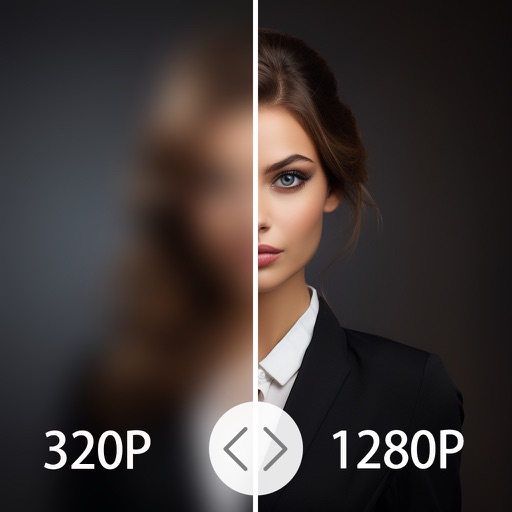
4x enhances image resolution by 200%, 400%, or 800%. It restores low-resolution faces using Face AI technology. It preserves details while enlarging images. Users can upload photos and apply restoration features.
The app adds real-time watermarks to photos and videos, including current time and address. Users can customize timestamp formats, fonts, positions, and add custom text or logos.
Browse virtual for . Download and save them to your photo library. Set as background images for video conferencing, webinars, and digital . Supports platforms like Zoom, Google Meets, and GotoMeeting.
Add hidden images and messages to videos by selecting and customizing frames. Replace frames with new images or text. These elements are displayed briefly, potentially influencing viewers subconsciously.
Enlarge and share Instagram pictures with higher quality. Save larger versions for social media sharing. Integrate with Facebook for updates. Adjust image size and format for different platforms.
Create and animate bouncy blobs on images to make them . Export videos in UHD format. Choose custom shapes and sizes. Adjust animation loops and set resolution. Use 3D mode and zoom for precise edits. Share animated images and videos.
Edit photos by flipping vertically or horizontally, resizing, and rotating. Adjust orientation and images for upload. Compare edited photos with originals in single mode. Batch edit multiple images at once.
Magnify text and objects with adjustable levels. Tap to focus on specific areas. Adjust brightness and contrast for clearer views. Share magnified images directly. Sync with other devices for seamless access.
The app provides live video stream viewing and control from cameras and video encoders. It supports multi-channel video encoding, authentication, and Pan, Tilt, and Zoom control.
Add images from Photos, iCloud, other apps, clipboard, or URLs. Tap to view fullscreen with optional titles. Randomize images every 15 minutes to daily. Adjust positions and zoom. Swipe between images.
Create videos by importing footage from gallery or recording new content. Crop, rotate, pinch-zoom, and set custom background colors. Merge unlimited videos into a single timeline.