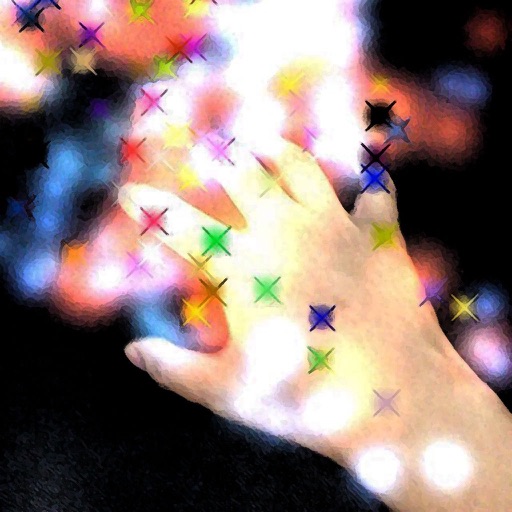
The app generates animated patterns, dynamic collages, and slit-scan photos using camera input. Users can select screen areas to create flowing imagery and interact with one or two fingers.
by Jung-Hoon Seo★ 5.04 ratingsPhoto & Video$0.99Data updated 2026-09-22
The app offers professional editing tools, beauty enhancements, and special effects. Users can apply stickers, create classic collages, and design fashionable posters with InstaMag.
Create photo collages and composite images by combining up to 11 photos in a single layer. Remove unwanted areas with the background eraser tool. Adjust color tones to enhance image appearance. Export edited photos in various formats.
Add playful characters to your screen for interaction. Characters move, sit, climb, and react to taps or drags. Use home screen widgets to display animations.
The app provides drawing tools, text, shapes, stamps, and stickers. Users can record screen for speed paints, create collages, and use hundreds of frames.
Create AI-generated images and videos from text input. Use pre-designed templates for social media content. Edit and enhance visuals with built-in tools. Share directly to platforms like TikTok and Instagram.
Edit photos with multiple camera models simulating DSLR, iPhone, and film styles. Use AI to enhance natural features and apply various portrait styles. Save money by avoiding camera purchases.
Edit photos with PIP frames, collages, and creative layouts. Add crystal bottle patterns and cartoon styles. Share edited photos directly to social media. Adjust brightness, contrast, and colors. Crop and rotate images.
Edit photos filters, cropping, and brightness adjustments. Add customizable text and stickers. Create collages and slideshows. Export in multiple formats and share directly.
Create collages by arranging photos in various layouts. Add text, frames, and effects. Compare before and after images. Export and share collages directly. Design split picture collages for social media or events.
Create holiday collages with customizable layouts, -themed grids, and backgrounds featuring Santa, gifts, and snowmen. Add text messages, select photos, and design e-cards with festive frames and decorations. Export and share finished collages.
Create collages by combining multiple photos and videos into framed cells. Add rounded corners, shadows, and patterns. Choose from 500+ adjustable frames. Use an easy color picker for customization.
Create looping videos from existing videos or Live Photos. Apply filters, add dynamic overlays, and edit with professional tools. Integrate favorite music. Share directly with others.
The app helps users create aesthetic photo collages, scrapbook memories, and social media designs using AI-powered editing tools and creative templates. Users can design Instagram posts, stories, reels covers, and more.
Create sketches using ink and effects. Preview effects in real time via camera. Adjust settings for optimal results. Capture photos directly within the . Share finished sketches on social media platforms.