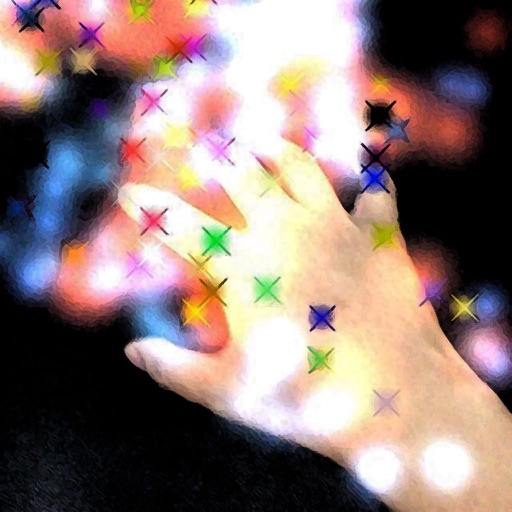
The app generates animated patterns, dynamic collages, and slit-scan photos using camera input. Users can select screen areas to create flowing imagery and interact with one or two fingers.
by Jung-Hoon Seo★ 5.04 ratingsPhoto & Video$0.99Data updated 2026-09-22
Create and customize photo collages with layout designs. Capture photos and videos using a DSLR camera. Share edited content directly or export in multiple formats. Add text, stickers, and filters to images.
Set wallpapers with effects and animated designs. Choose from calming sceneries, night cities, animals, and blooming flowers. Customize lock screen with high-quality wallpapers. Save and apply wallpapers directly.
Create collages in custom sizes. Choose from 300 layouts. Place images manually or automatically. Export for video, social media, or printing. Set dimensions for specific paper sizes. Share or save collages directly.
Create and share custom GIFs by combining selfies or photos with animated GIFs from a vast library. Edit and apply filters to enhance visuals. Save and share GIFs directly from the .
Create animations by capturing sequential photos. Add text and images to enhance video content. Include sound with text-to-speech options. Apply various filters for visual effects. Use voice-activated shooting to trigger camera captures.
The app determines the axis of corneal limbal marks for Toric IOL alignment during surgery. It also measures the axis of an implanted IOL postoperatively at the slit lamp.
Edit photos by adding exaggerated weight gain effects to faces. Share modified images via email, iMessage, Instagram, Snapchat, Facebook, Twitter, and WhatsApp. Toggle between original and altered views using device shake.
The app provides drawing tools, text, shapes, stamps, and stickers. Users can record screen for speed paints, create collages, and use hundreds of frames.
Edit photos and videos with AI-powered tools, apply filters and overlays, and create dynamic videos from images. Share edited content via email or social media platforms like Instagram and Facebook.
Create collages by combining multiple photos and videos into framed cells. Add rounded corners, shadows, and patterns. Choose from 500+ adjustable frames. Use an easy color picker for customization.
Create live wallpapers using free templates and customize with stickers. Take photos with a photo booth featuring fun stickers. Edit images with AI tools and templates. Share creations directly from the .
Edit photos with PIP frames, collages, and creative layouts. Add crystal bottle patterns and cartoon styles. Share edited photos directly to social media. Adjust brightness, contrast, and colors. Crop and rotate images.
The app creates unlimited collages with a single tap using a SmartSorting algorithm. Users can import photos, select modes, and apply various styles, text, backgrounds, filters, and stickers.
Create collages by combining multiple photos into one with customizable layouts. Apply one-touch filters for instant effects. Add text, letters, and stickers to photos. Export and share finished collages directly.
Create collages by adding photos, text, and stickers to pre-designed templates. Customize layouts, adjust colors, and apply filters. Share finished collages via social media or messaging apps.
Create holiday collages with customizable layouts, -themed grids, and backgrounds featuring Santa, gifts, and snowmen. Add text messages, select photos, and design e-cards with festive frames and decorations. Export and share finished collages.
Create collages by selecting photos and arranging them in customizable layouts. Choose from 200+ frames and templates. Adjust colors, borders, and backgrounds. Edit photos with crop and enhancement tools.
Edit photos with filters, cropping, and adjustment tools. Add text, stickers, frames, and patterns. Create collages by combining multiple photos. Share edited images directly to social media.