Turn photos into retro video game-style images. Select pixel shapes, sizes, and color schemes. Adjust colors and flatten palettes. Pinch to resize pixels or double-tap to switch color modes.
by Jesse Smith★ 4.216 ratingsEntertainment$1.99Data updated 2026-09-08
Write with customizable magnets, paper types, and fonts. Add colors and fridge styles for personalized . Save and organize ideas with unique visual elements. Share via email or social media.
The app provides a 3D pixel editing experience for creating sculptures, icons, and game levels. It offers tools for users of all ages, including layering and keyframe animation for more complex creations.
Play a -style game with gameplay mechanics. Customize colors and controls. Choose from 10 difficulty levels. Compete in online achievements. Navigate a large playing area. Grow the by eating food.
Capture photos and videos with retro film filters and analog textures. Adjust exposure, contrast, and grain. Apply vintage color effects and scan-to-video conversion. Share edited media directly to social platforms.
Turn photos into pencil sketches using advanced analysis and redrawing. Select images from the library to convert into detailed artwork. Share the results directly or save as new files.
Compress and optimize photos and videos to reduce file sizes by 80% or more. Sort and organize media files. Save compressed versions directly to the device. Maintain high quality during compression.
Explore dynamic pixel art scenes from the 1990s. Navigate through interactive environments. Adjust lighting and perspective. Save and share custom views. Play background music loops. Toggle between different scene modes.
Watch short-form pixel art transformation videos. Share via Facebook Messenger, WhatsApp, Instagram, Pinterest, Snapchat, email, or Twitter. Collect favorite in a dedicated section. No ads, violence, or harmful content.
Create collages with customizable blur backgrounds and adjustable layouts. Apply filters like black and white, vintage, and retro to enhance images. Edit photos by resizing, cropping, or deleting elements.
The app allows users to post entire photos on Instagram without cropping. It offers a colorful background option and direct sharing to Instagram, Facebook, and X.
Create palette reference images from photos. Select a photo from the library. Resize, reposition, and crop the photo into a square frame. palette automatically or pick colors manually. Change the layout using templates.
Add multiple decorated texts to photos with various fonts and styles. Adjust color, size, and font name. Add outlines and shadows. Resize, rotate, and position texts freely. Save edited photos directly.
Create artwork using , gem, flower, and other materials. Select images from various categories and follow numbered steps to complete drawings. Customize colors and save creations. Share finished pieces with others.
Edit photos with eye detection tools. Change eye and lens style. Adjust pupil size and shape. Remove red eye and whiten eyes. Add sparkle effects and rotate them. Morph face shape for enhanced edits. Export edited images directly.
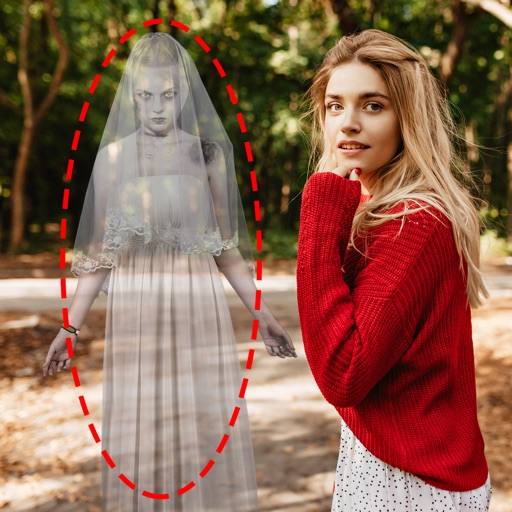
Edit photos by adding ghosts, monsters, or zombies from 62 options. Adjust transparency, color, saturation, brightness, and contrast for each creature. Position and resize creatures freely. Share finished photos with friends.