The app provides options to move and zoom windows using a mouse or keyboard. Users can select preset sizes, use a grid, or define custom controls for window management.
by Many Tricks★ 0.00 ratingsUtilities$6.99Data updated 2026-09-17
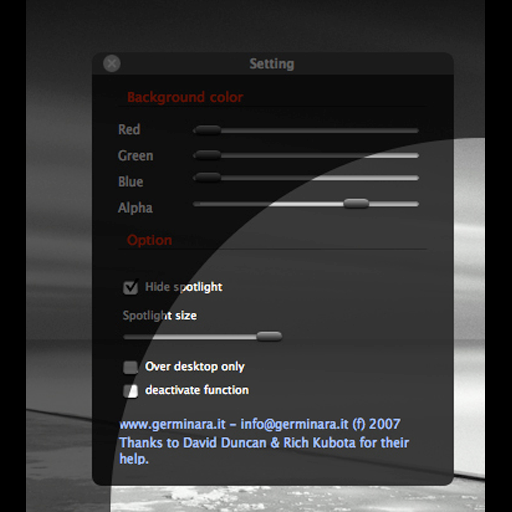
Adjust screen brightness with a spotlight beam that follows the mouse pointer. Set spotlight size and dimmer background color. Toggle the effect using CMD ALT and access settings with CTRL ALT.
Watch YouTube videos in a window while using other . Play background audio and block ads. Display web pages, notes, documents, music, videos, and photos in windows. Open multiple simultaneously in mode.
Post photos and videos without cropping for Instagram. Add blur backgrounds automatically. Resize, rotate, and zoom content within the square. Apply effects, filters, stickers, and text. Select no layouts. Support 1080P video. Save in high quality.
Adapts its interface in real time based on active apps, windows, or tools. It offers deep integrations, customizable layouts, macros, DAW/MIDI control, and a library of presets. Users can switch apps seamlessly and access relevant tools instantly.
A full-screen magnifying glass adjustable contrast and control. Zoom in/out pinch gestures and move around by dragging. Supports video and image viewing. Hide buttons by tapping for a clean display.
Transform your phone into a wireless , keyboard, and trackpad for your computer. Control cursor movement, type on virtual keys, and use multi-touch gestures. Manage computer power states and navigate media playback remotely.
Manage multiple windows independently. Open and arrange 1, 2, 3, or 4 instances. Drag and resize windows. Open links from one window to another. Multitask by handling social media, news, and other websites simultaneously.
Manage multiple webpages and files simultaneously. up to four browser windows side by side. Resize windows freely. Support picture-in-picture for videos. Bookmark favorite sites quickly. Automatically record browsing history.
Your Mac remotely via iPhone using the same WiFi network. Adjust settings, launch apps, and use a virtual trackpad. Customize gestures and automate tasks with predefined actions. Monitor system status and manage connected devices.