Reference "Access circuit breaker panel information for TBM aircraft. View two modes that can be switched by double-tapping. Track selected aircraft and panel settings for quick reference during emergencies."
by Tremont Air, LLC★ 5.01 ratingsReferenceFreeData updated 2026-09-08
View real-time paths and details of international flights. Track aircraft movement, check numbers, directions, and status. Access comprehensive information about departures and arrivals.
Explore the Airbus with interactive controls and detailed displays. Learn aircraft systems through step-by-step tutorials. Simulate procedures and test knowledge with quizzes. View system diagrams and operational modes.
Allows users to create and manage customizable intervals with names and audio cues. Set multiple intervals with start and stop times. Track progress with full-screen color coding and large fonts. Switch between portrait and landscape modes.
View scores based on pilot experience, aircraft reliability, maintenance quality, and turbulence data. Check past accidents linked to specific airports, airlines, or aircraft. Compare ratings across different segments.
Control aircraft communication radios via iPhone. Adjust frequencies, monitor channels, and manage radio settings. Sync with Flight Simulator through Server. View radio status and transmit messages directly.
Explore the Boeing 777 by tapping on controls, panels, and displays to view detailed descriptions and operational insights. Learn about each component's function and layout. Access interactive tutorials and diagrams for in-depth understanding.
Remote control four-axis aircraft via iOS device. View real-time video from the aircraft's camera over 2.4G WiFi. Capture photos and videos from the mobile phone. Enable Trajectory Flight mode. Use Voice Control mode for commands.
Monitor aircraft compliance with FAA inspections and maintenance schedules. Track service intervals, fuel status, and advisory data. Schedule and manage maintenance tasks. Generate reports and access billing features.
View drone data and manage Agras devices. Share and organize fields. Collaborate with team members. Perform measurements and track spraying operations. Control aircraft settings and monitor performance.
The app provides an interactive exploration of the Bombardier CRJ-200 flight deck. Users can tap on switches and displays for detailed explanations, aiding pilot training and familiarization with aircraft systems.
A comprehensive aviation reference tool providing detailed explanations of all aspects of flying. Users can access information on aircraft systems, flight operations, regulations, and more.
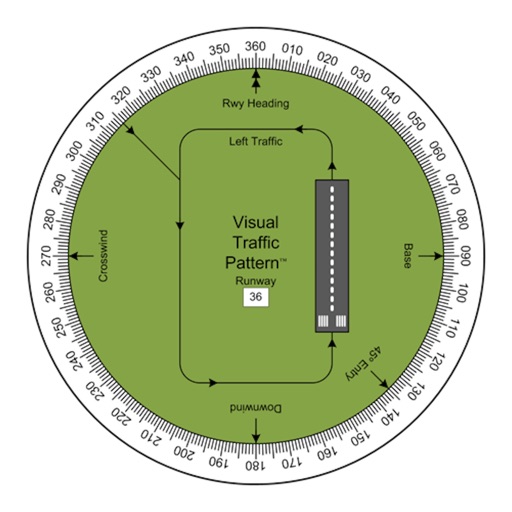
Allows pilots to view runway patterns with finger rotation. Display includes left and right patterns, crosswind, downwind, base, and 45-degree entry headings. Magnetic runway orientation matches aircraft heading for approach visualization.
Create one-line using standardized symbols. Select and drag symbols to arrange . Includes IEC and ANSI symbols for engineering. Add circuit breakers, switches, fuses, and other components. Save and export .
Track firefighting aircraft in real time using radar. Set alerts for specific aircraft takeoffs. Define zones to receive notifications when aircraft enter designated areas. View flight paths and monitor activity related to operations.
Access code updates for 2023 NEC and NEMA standards. View table changes, formulas, and conduit bending guides with video tutorials. Calculate ampacity and conduit fill. Include transformer data and wiring configurations.
The app replaces cockpit panels for Flight Simulator aircraft, offering a general aviation 6-pack display. It features smoothly animated gauges synced with simulators and a customizable layout.
Explore aircraft systems with interactive diagrams
Study aircraft systems and limitations with organized chapters and interactive diagrams. Tap switches, levers, and buttons to see system changes. Practice normal and emergency operations. Correlate practical knowledge with POH descriptions.