
RemoteFlight COMM
Control communication radio remotely
Vladislav Oupicky
iPhone Screenshots
Description
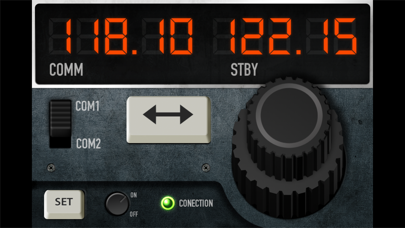
Control aircraft communication radios via iPhone. Adjust frequencies, monitor channels, and manage radio settings. Sync with Flight Simulator through Server. View radio status and transmit messages directly.
RemoteFlight COMM Panel can replace the radio panel of any Flight Simulator or X-Plane aircraft. You can control communication radio using your iPhone now. This is really a basic gauge but delivers with greatness. There is nothing like having this crucial instrument right by the grasp of your fingers and always in sight. Compatible with all aircrafts with a comm radio.
RemoteFlight Server utility is required to establish the connection between Flight Simulator and your device. RemoteFlight server is very lightweight and will not affect the performance of your Flight Simulator. Download the server free on https://www.remoteflight.net/server