Create images from text by selecting words to form pictures. Choose color, halftone, or black-and-white styles. Upload photos to generate word-based images. Save and share the resulting artwork.
by Boris Glazer★ 0.00 ratingsGraphics & Design$24.99Data updated 2026-09-08
Capture photos with advanced HDR, denoising, and 110-megapixel resolution. Use macro and zoom features for detailed shots. Adjust lighting and enhance details with AI-powered processing. Export high-resolution images directly.
Convert text prompts into videos or images with styles like cinematic, anime, fantasy, comics, and futuristic. Choose resolution and duration. Export and share directly.
Generate images from text inputs using AI technology. Create anime and live-action style images. Use for designing icons, creative projects, and design materials. Export and share generated images directly.
Edit photos to convert them into and with adjustable contrast, brightness, and grain. Apply filters and vintage effects. Crop, rotate, and add text overlays. Save and share edited images in various formats.
Edit photos by flipping vertically or horizontally, resizing, and rotating. Adjust orientation and images for upload. Compare edited photos with originals in single mode. Batch edit multiple images at once.
Generate captions for social media posts in multiple languages. Select a and receive AI-generated text. Edit or customize the before sharing. Supports Instagram, X, Facebook, LinkedIn, and Tinder.
Edit photos with effect and features. backgrounds and apply black-and-white conversion. Select areas for contrast. Zoom with two-finger pinching. Adjust brush size, opacity, and offset. Export edited images.
Enhance blurry images to produce high-resolution faces. Unblur old photos for clearer results. Analyze historical images to reveal detailed facial features. Output sharpened versions of low-quality images.
Create by selecting images from your photo library and applying preset layouts. Add titles to images and save or print the board. Includes layout options for standard paper sizes.
Edit photos by adding text with customizable fonts and calligraphy styles. Insert names as signatures with unique designs. Adjust text size and placement. Share edited images directly.
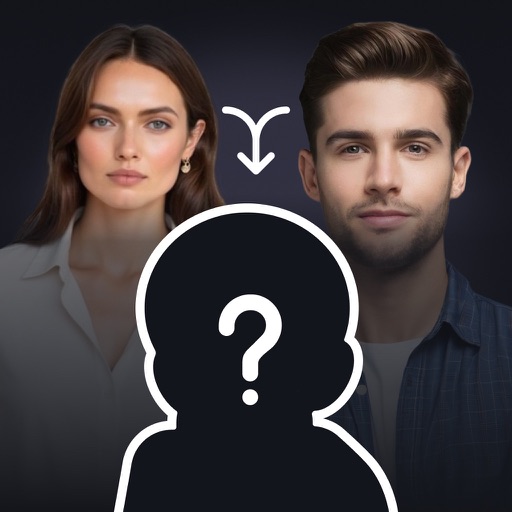
Create realistic images by uploading parent photos and adjusting with cropping tools. Generate likeness comparisons and suggest names based on facial features. Share or save generated images directly.
Create posters, flyers, and advertisements by adding text to photos. Choose from 300+ fonts, adjust size and color. Design quotes, invitations, and greeting cards. Export without watermarks. Sync with social media platforms.
Add photos to contacts from web or library. Display images in Mail, Messages, Phone, FaceTime, and Contacts. Show faces during calls and notifications. Use widgets to view pictures.
Edit images with AI-powered tools for color correction, object removal, and style transfer. Generate new images using latest AI models. Save and share edited photos directly.
Edit photos with AI enhancement, colorization, and background removal. Create AI avatars and repair old or blurry images. Export in various formats and share directly.