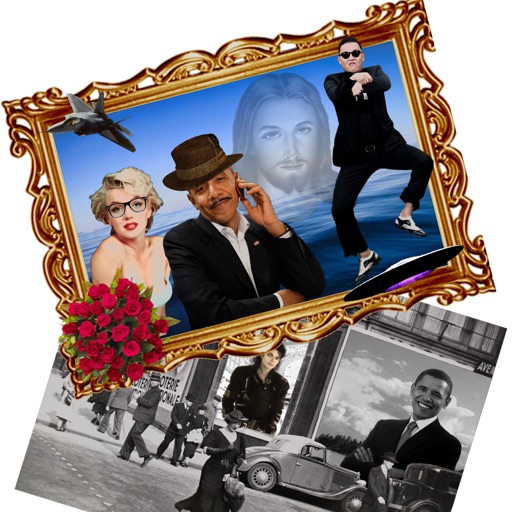
Edit photos with detailed controls including frames, filters, contrast, brightness, and saturation. Adjust images to create a classical atmosphere. Apply effects and save changes to the device's photo album.
by Sang Hyun Jun★ 5.01 ratingsPhoto & VideoFreeData updated 2026-09-08
Edit photos with filters, effects, and scene modes. Add text, stickers, and overlays. Adjust brightness, contrast, and saturation. Save and share edited images directly.
Apply effects to photos in real time with 8 live lenses. Add 60 live filters to lenses or use 60 static filters for creative enhancements. Capture and share edited images directly.
Edit photos with crop, rotate, and filter tools. Adjust brightness, contrast, and color. Add text, stickers, and draw on images. Apply blur, focus, and special effects like magic and splash. Export and share edited photos.
Arthur Eduardo Skaetta Alvarez Desenvolvimento de Software LTDA.
Photos and save to albums
Documents and photos using the device camera. Save scanned images to the camera roll or organize them into albums. Automatically crop scanned images by detecting paper edges. Adjust brightness and contrast for clearer scans.
Edit photos with , rotate, flip, and scale tools. Adjust brightness, contrast, and saturation. Add text, stickers, and mixers. Share directly to Instagram and other social media platforms. Export in square format for consistent posting.
Overlay photos on the camera to match in real time. Apply like dreamy, vintage, or cinematic with one tap. Add text behind subjects for depth effects. Create and share edited photos directly.
Apply New frames to photos. Add stickers and shapes. Create collages with holiday patterns. Customize designs for Hindu culture celebrations. Share edited images directly.
Create blur effects by tracing fingers over photos, with automatic border correction for natural results. Zoom in or out using pinch gestures for precise adjustments. Check results by tracing over the screen.
Capture frames using front or back cameras with adjustable white balance, focus, and exposure. Paint on frames with customizable brush tools. Export animations in various formats and share directly.
Edit photos with starlight matting, changes, and multiple lighting styles. Apply stickers, erase selected areas, and use smudge tools for quick matting. Save and share edited images directly.
Edit photos by applying romantic from a gallery. Add text and filters. Resize or move images. Save edited photos. Decorate images with 3D for creative expression.
The app allows users to create new compositions from photos, drawings, and text. Users can add frames, text, and drawings to photos, modify them with filters, and combine elements to create new images.
Edit photos with temperature, tint, exposure, contrast, brightness, and saturation adjustments. Apply color presets like Ver, Aestas, Autumnus, and Hiems. Use Terminus and Mensis presets for nostalgic and duotone styles.
Create -themed photos by adding overlays like frames, snowflakes, hats, and beards. Preview overlays before capturing photos. Edit and share photos on iPad or iPhone. Include live snow effects and holiday music.
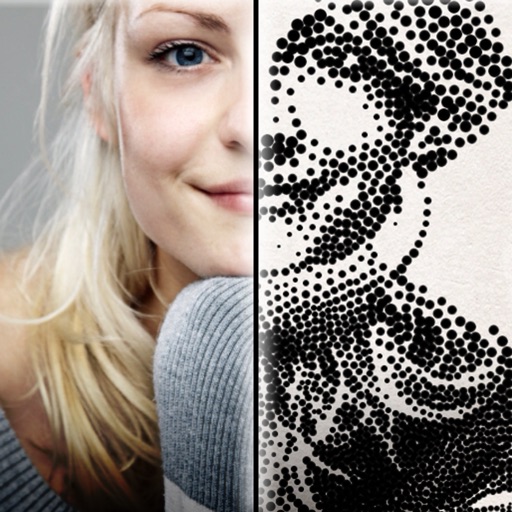
The app creates customized professional stipple drawings from photos using easy editing tools. Users can adjust contrast, brightness, and the number of dots to transform photos into unique works of art.