
AI Upscaler - Image Enhancer
Abdellatif Bagui
Upscale photos to HD quality
Upscale images to 2x, 4x, or 6x resolution using AI. Adjust colors, brightness, and contrast with HDR. Customize output settings and save or share enhanced images.

Edit photos with frames and filters
Edit photos with detailed controls including frames, filters, contrast, brightness, and saturation. Adjust images to create a classical atmosphere. Apply effects and save changes to the device's photo album.
Showing 581–600 of 1,000 ranked alternatives.
Abdellatif Bagui
Upscale photos to HD quality
Upscale images to 2x, 4x, or 6x resolution using AI. Adjust colors, brightness, and contrast with HDR. Customize output settings and save or share enhanced images.

Gummy Bear Apps & Games Inc
Capture photos with film filters
Capture photos and videos with film effects including retro filters, grain, light leaks, and analog imions. Apply 8mm and VHS video styles. Shoot directly from the without editing or registration.


勇强 温
Edit photos with filters and effects
Edit photos using filters, adjustments, effects, blur, focus, rotate, draw, crop, resize, and add text or stickers. Share edited photos across social media platforms. Apply free tools to enhance and customize images.

Adan Malon
Apply filters to photos
Apply filters to photos to create captivating effects. Adjust filter sensitivity for customization. Save edited images to device and share directly with friends or on social media.

Vimala Jain
And enhance details
By removing fading, scratches, and yellowing. Enhance color and clarity using AI. Convert black-and-white images to color. Adjust brightness, contrast, and sharpness. Export restored in high-quality formats.

Tomato Factory
Combine photos into collage frames.
The app allows users to combine multiple photos into collage frames. Users can select from unique frames, adjust colors or patterns, and share creations via email, social media, and more.

Michael Shillingburg
Toast photos with effects and grain
Edit photos with 60+ high quality filters and 10 types of grain effects. Adjust exposure, shadows, and contrast. Add bloom for highlights and soften the image. Export edited photos in various formats.
Salem A Ahmad
Edit text with fonts and gradients
Edit text with customizable fonts, shadows, and gradient colors. Apply one-click filters for professional photo look. Adjust lighting, sharpness, and detail clarity. Access design templates for weddings, cards, and frames.

AXERAAN TECHNOLOGIES PRIVATE LIMITED
Edit photos with filters and effects
Edit photos with filters, effects, and backgrounds. Add stickers and choose from various fonts. Crop, resize, and rotate images. Create square photos and adjust ratios. Share edited photos directly.
Melih OZDOGAN
Photos and add Russian stickers
Photos with filters, cropping, and adjustment tools. Add Russian stickers, fonts, and text. Use custom textures as borders, frames, or text overlays. Export edited images in multiple formats.


PearlMountain Limited
Edit with artistic
Edit with 25+ filters, 18+ tools, and 55+ across four categories. Adjust brightness, contrast, and color. Add textures and glow. Save and share edited images directly.

Jens Egeblad
Create comics with photos and share them
Create comic books by selecting page templates or designing custom layouts. Add photos from the camera or album, or create drawings. Apply filters, balloons, stickers, and warped 3D lettering. Share completed comics with friends and family.

FANCY TECH, LLC
Edit photos with professional filters
Edit photos with a wide range of aesthetic and stylish filters created by professional photographers. Adjust brightness, contrast, and saturation. Save and sync edits across all Apple devices. Export in various formats and share directly.
Vitaliy Odarchenko
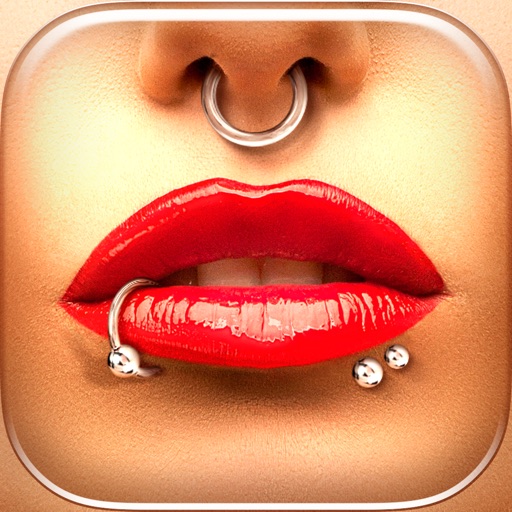
Try styles instantly
Try different styles with realistic effects. Choose from face, ear, belly, labret, teat, and nose categories. Select from over 300 objects. Adjust placement and size for custom looks. Share edited photos directly.

Pocket Bits LLC
Change backgrounds with chroma key.
The app allows users to change a monochromatic background into any image. It offers tools to manually remove backgrounds without a green screen and includes features like auto-enhance, drawing, stickers, text, and various photo effects.
Apps are ranked by functional similarity, category fit, rating confidence, and popularity.