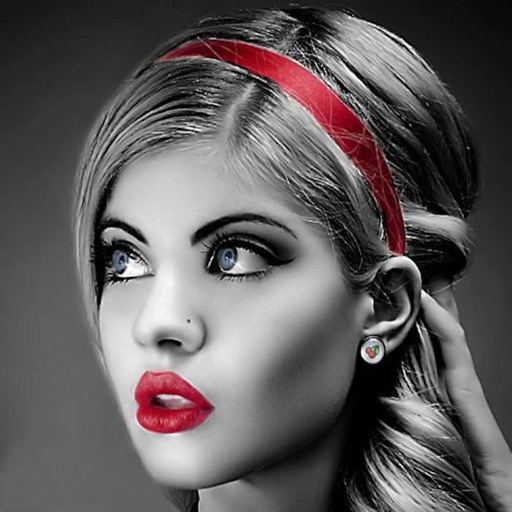
Allows users to convert images to black and white while emphasizing specific objects or colors. Users can open existing images or capture new ones with the camera. They can zoom and pan using two fingers or paint with one finger.
by michele barbieri★ 4.25 ratingsPhoto & Video$0.99Data updated 2026-09-08
With AI-based auto image enhancer. Upscale images up to 4X without loss of . Recolor black and white photos automatically. Edit photos with color adjustments and resolution improvements.
Upscale photos by 2×, 4×, or 8× using AI. Repair low-resolution images, retouch faces, and apply advanced enhancements. Supports macOS Tahoe 26 and works efficiently on M1/M2/M3/M4 chips. Export enhanced images directly.
Upload photos to create fine art. Apply oil-painting effects with adjustable brushstrokes and textures. Save and share high-resolution outputs. Customizable color palettes and brush sizes. Export images for printing or digital use.
Edit photos by applying local filters to specific image areas or text. Add multiple graphics and text elements with different filters. Export edited images in various formats and share directly.
Convert grayscale or black and white images to using selective recoloring. Select and capture images, pan and zoom for precise editing. Adjust brush size and opacity. Apply 200+ filters. Preview changes in real time. Redo or undo edits.
Lets users adjust brightness and contrast to analyze tones in images. They can isolate light and dark areas to study shadows and highlights. Export grayscale versions for use in drawing or painting practice.
Edit photos with vintage effects, artistic filters, and professional adjustment tools. Crop, resize, and enhance images. Add text and stickers. Export in multiple formats and share directly. No registration, ads, or watermarks.
Edit photos with selective effects using gesture controls. Zoom and pan to adjust splash areas. Convert parts of the image to grayscale while keeping selected regions in full . Export edited photos directly.
Apply color-correction filters to videos and photos. Adjust exposure, contrast, and color balance. Access 7 built-in filters with examples from 6 sets. Load media as a digital negative for detailed editing. Save all 6 filter sets for a limited time.
Remove backgrounds from images by drawing a closed curve. Automatically erase similar color areas for transparent results. Adjust brush size for precise edits. Pan, zoom, and rotate images.
Capture photos with manual exposure and focus controls, RAW and TIFF support, and real-time adjustments. Edit images with advanced tools, apply effects, and export in high-quality formats. Share photos directly from the .
Convert images to vector files with AI-enhanced tracing. Import JPEG, PNG, or WEBP and export as SVG or high-resolution PNG. Edit SVG files manually for precise adjustments.
Edit photos with 25 tools and effects. Adjust brightness, contrast, and saturation. Save progress and undo changes. Share edited photos to social networks. Preserve EXIF data and edit geo-location. Export high-resolution images up to 3000x3000.
The app offers tools for photo editing, including frames, layouts, and effects. Users can adjust color balance, brightness, contrast, and saturation, and apply sharpening or blurring.
Enhance and restore old photos using AI image processing. Adjust clarity, color, and brightness. Remove blur and repair damaged areas. Convert black and white photos to color. Export edited images in various formats.
Stylize photos using over 500 AI art styles from various movements. Edit and retouch images with professional tools. Work offline with on-device AI models. Keep data private with no cloud storage. Export edited images in multiple formats.
Add text to photos with customizable shapes, adjusting height, width, color, and border. Design and share text overlays on images. Create social media posts, wallpapers, stickers, and event invitations. Export and share designs directly.