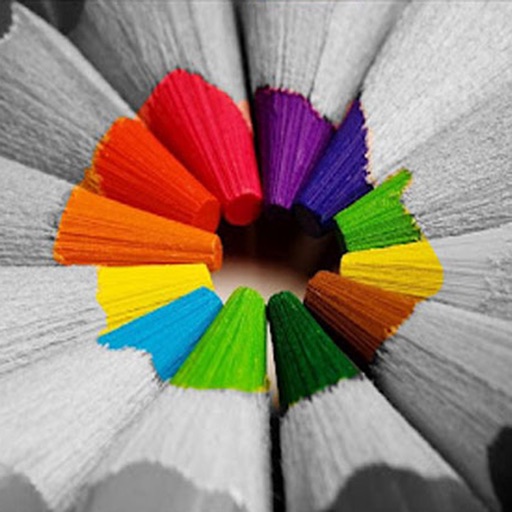
Allows users to convert images to black and white while emphasizing specific objects or colors. Users can open existing images or capture new ones with the camera. They can zoom and pan using two fingers or paint with one finger.
by michele barbieri★ 4.25 ratingsPhoto & Video$0.99Data updated 2026-09-08
Convert photos to pencil sketches with adjustable effects including ink, outline, stony, charcoal, and cartoon styles. Support black and white and color pencil painting. Apply stylization, high contrast, and other advanced editing tools.
Edit photos with layers, filters, and brushes. Adjust brightness, contrast, and color. Add text and stickers. Export in multiple formats and share directly.
The app offers tools to enhance photos, remove blemishes, and apply various effects. Users can combine photos into collages, add stickers and frames, and adjust image properties like brightness and contrast.
Capture photos with controls including shutter, ISO, and white balance adjustments. Edit images using film-emulating presets, RAW processing, and advanced color settings. Export photos in high-quality formats and share directly.
Edit photos with effect and features. backgrounds and apply black-and-white conversion. Select areas for contrast. Zoom with two-finger pinching. Adjust brush size, opacity, and offset. Export edited images.
Edit photos with splash effects, convert images to black and white, or apply custom colors. Add filters, zoom in on photos, and use a brush tool. Export and share edited images directly.
And enhance old photos with AI-powered tools. Remove scratches, repair damage, and convert black-and-white images to color. Adjust clarity, brightness, and contrast. Share edited photos directly.
Add text, signature, image, or logo watermarks to photos and videos. Choose from multiple fonts and colors for text. Import trademarks from photos. Apply full-screen watermarks easily.
Turn photos into drawings, cartoons, or sketches with one click. Apply 19 effects with full control. Save creations and share via Facebook, Twitter, Flickr, Tumblr, and Email.
Create gallery-style portraits from images using automatic painting tools. Add color, light, and texture for realistic effects. Choose between classic-style brushes or modern-colored options. Save and share finished artworks.
Edit photos with AI-powered clarity enhancement, blur reduction, and detail sharpening. Restore old images by removing scratches and colorizing faded areas. rtistic variations with different styles and filters.
Old by removing scratches, fixing damage, and enhancing clarity. Adjust brightness, contrast, and color. Share restored images directly or save in high resolution.
Turn photos into drawings, cartoons, or sketches with one click. Apply various effects including black strokes, white strokes, pastel, and halftone. Adjust edge strength, opacity, contrast, brightness, and saturation.
With AI-based auto image enhancer. Upscale images up to 4X without loss of . Recolor black and white photos automatically. Edit photos with color adjustments and resolution improvements.
Add vibrant color to specific image areas using the Color Splash Effect. Adjust intensity and placement. Export edited in various formats. Share directly from the .