iColoringBook !!! Lite
TaeJin Kim
Draw, color, and decorate easily.
The app provides a drawing and coloring environment. Users can trace photos and color them using various fill options and tools.
Sketch anywhere, draw anytime
Sketch directly on the screen with pressure-sensitive tools. Adjust brush size and opacity. Rotate, resize, and move drawings. Save and share artwork in various formats. Export as vector or raster files.
Showing 381–400 of 1,000 ranked alternatives.
TaeJin Kim
Draw, color, and decorate easily.
The app provides a drawing and coloring environment. Users can trace photos and color them using various fill options and tools.


Huu Nguyen
Draw walls to protect the cat
Create walls by drawing lines to protect a cat from bees. Adjust line thickness and color. Tap to remove walls. Complete levels by guiding the cat to safety. Track progress through multiple stages.

Tadpole Interactive Private Limited
Draw and to learn skills
Draw and with a range of tools and options. Select from pre-drawn outlines for coloring. Create custom drawings using different brushes and shapes. Save and share completed artwork. Learn basic shapes and colors through interactive activities.

TECHFLINES JOINT STOCK COMPANY
In augmented reality with precision
Create and view drawings in real-time using AR technology. and on screen with customizable tools. Export artwork in various formats and share directly. Adjust colors, brush sizes, and layers for detailed editing.

Surbhiben Savaliya
In and out effortlessly
Infinite : No size limits—draw endlessly, in for detail or out for overview. Create, sketch, plan, and mind-map without boundaries. Export artwork in multiple formats and share directly.
Bhupesh Singh
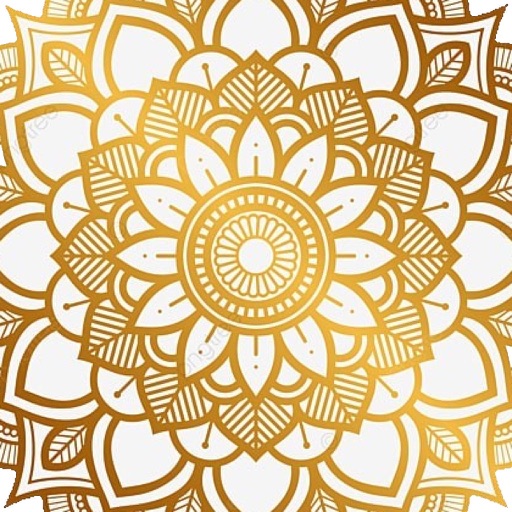
Draw mandalas with customization and symmetry
Create intricate drawings with customizable symmetry, background color, and brush settings. Apply shadows and use predefined patterns or images for inspiration. Export and share finished designs.


SUNG CHEOL KIM
Create images with many brush types.
The app offers a fullscreen workspace with support for device orientation and multiple canvas sizes. It includes 145 brush markers, layers, zoom functionality, and brush configuration saving.
AMIT CHAUDHARY
Draw and share vector graphics
Create and edit vector drawings and illustrations. Import and export files from cloud services. Design logos, posters, and technical drawings. Use multiple windows on iPadOS. Enable dark mode for system settings.

Hareshbhai Issamaliya
Apply blur to photos and videos
Blur image backgrounds to create effects. Select photos from gallery or capture new images. Apply multiple blurring tools to adjust blur intensity. Export edited photos to device storage.

Vinh Dao Quang
Photos, sketch, and with AR
Use AR to objects in real-time and create sketches. over traced images with customizable brushes. Save and share artwork. Adjust colors and line thickness. Export drawings in various formats.


Apps are ranked by functional similarity, category fit, rating confidence, and popularity.