Take photos or load images from the library. Add handwritten notes and drawings. Apply filters. Enlarge images for detailed editing. Save original files and multiple sizes. Share via email. Paint on images without access.
by Hiroyuki Fushida★ 3.01 ratingsPhoto & Video$1.99Data updated 2026-09-08
Edit photos with skin smoothing, whitening, and acne removal tools. Apply blur and adjust face contours. Access dozens of drip with customizable backgrounds and colors. Share edited images directly.
Create stereo 3D images by capturing or selecting two photos. Adjust depth using orange arrow buttons and shift function. Choose from multiple 3D display modes including color, gray, and side-by-side.
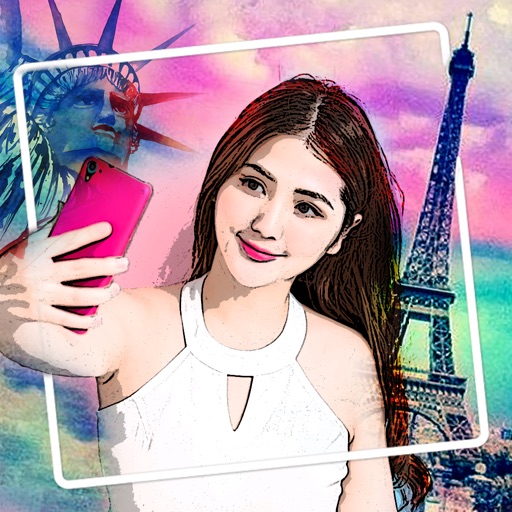
Edit photos with 400+ artistic filters and effects. Apply oil painting, graffiti, sketch, and pop art styles. Adjust colors and textures. Save and share edited images directly.
Edit photos by adding customizable frames based on metadata themes. Choose or create frames manually if metadata is missing. Save and share framed photos directly.
Edit photos with film filters, manual date adjustment, and flare effects. Choose 16:9 or 4:3 aspect ratios. Apply film burning effects and export in various formats.
Create and organize with customizable colors and drawing tools. Add sticky to a virtual corkboard or capture photos as memos. Use various pens and an eraser for editing. Share directly or save them for later.
Take photos with the camera or select from the gallery. Choose from over 50 to add to images. Place by tapping and dragging them onto the . Share the edited directly.
Create 3D drawings using finger gestures without glasses. Design custom 3D brushes. Choose from 8 background patterns or generate them from photos. Adjust brush settings based on pressure for 3D Touch devices.
Decorate photos with customizable and add messages. Choose from themed for holidays and occasions. Edit images by adding text and notes. Share framed photos directly.
Create a photo list from your library or camera, sorted by date. Tap a photo to open a map and navigate to its location. Swipe left to remove photos. Add new photos by tapping the '+' button.
Edit photos using adjustable filters for brightness, contrast, saturation, color temperature, highlights, shadows, and color. Add text to images for customization. Preview in real time. Remove previous settings. Save edited photos to the device.
Convert negatives to digital photos with high resolution. Edit images with advanced tools including filters, cropping, and adjustments. Save and share edited photos in multiple formats.
Capture distant objects with enhanced capabilities. Adjust focus and exposure for clear images. Save and share high-resolution photos. Access mode for detailed views of celestial objects.