The app allows users to customize their iPhone camera with various atmospheric photo styles. It offers adjustments for brightness, contrast, blur, focus, and vignetting, along with 18 color filters.
by Hiroyuki Fushida★ 5.01 ratingsPhoto & Video$0.99Data updated 2026-09-13
Crop and rotate images into various shapes. Add text, arrows, and shapes for annotations. Pixelate sections or draw freehand. Share edited photos directly with contacts.
Create 3D effects by moving the phone to capture multiple angles of a subject. Apply filters and effects to enhance the image. Add customizable background blur to simulate professional camera quality. Export videos without watermarks.
Turn photos into drawings, cartoons, or sketches with one click. Apply 19 effects with full control. Save creations and share via Facebook, Twitter, Flickr, Tumblr, and Email.
Convert photos to and with one tap. Apply various monochrome filters for different styles. Adjust brightness, contrast, and grain. Crop and resize images. Save and share edited photos directly.
Fry the last frame of videos to upload to TikTok. Edit memes by frying images or GIFs from the photo library or Gfycat. Share finished memes to camera roll or via iMessage as stickers. Open created memes in TikTok and Snapchat.
Edit photos with filters, contrast, brightness, and color adjustments. Add text, stickers, and drawing tools. Customize images and landscapes. Export in high quality. Access a free image library. Apply advanced editing features.
Take photos with high-resolution settings. Apply 40 free filters, including a popular pink filter. Edit images with color adjustments and effects. Add creative accents to photos. Share edited photos directly from the .
Edit photos and videos with Magic AI Retouch for skin smoothing and color correction. Apply vintage presets for nostalgic effects. Adjust brightness, contrast, and saturation. Add text, stickers, and filters.
Edit photos with vintage effects, artistic filters, and professional adjustment tools. Crop, resize, and enhance images. Add text and stickers. Export in multiple formats and share directly. No registration, ads, or watermarks.
Edit photos with , , and collage tools. Create and custom layouts. Adjust brightness, contrast, and saturation. Add text and stickers. Export and share edited images.
Use camera to magnify objects. Switch between front and back cameras for mode with light bars. Tap to freeze image and adjust brightness and contrast. Pinch to zoom, rotate, and pan. Save final image to Photos.
Capture with real-time live effects and color presets. Apply adjustable effects and enhance colors simultaneously. Use screen flash for better results in low light. Share directly from the .
Create custom wallpapers with scaling and resizing options on various backgrounds. Choose from color, gradient, pattern, bokeh, and text effects. Apply parallax effect for all iPhone and iPad devices.
Capture photos and videos with manual controls, exposure adjustment, and focus customization. Import and organize media from iOS photo library. Edit images with filters, cropping, and brightness adjustments. Share directly to social media or email.
Edit photos with auto enhancement, artistic sketches, beautiful paintings, and funny cartoons. Apply 700+ filters and . Add frames and stickers. Share edited photos directly.
Create designs and graphics using customizable templates and a vast library of images, fonts, and templates. Apply photo filters and adjustments to enhance visuals. Organize templates into folders and favorite favorites for quick access.
Edit images with brightness, contrast, and other adjustment tools. Import photos and place them in customizable Story templates. Create gradients and use the dropper tool to match colors. Share edited content directly to Instagram .
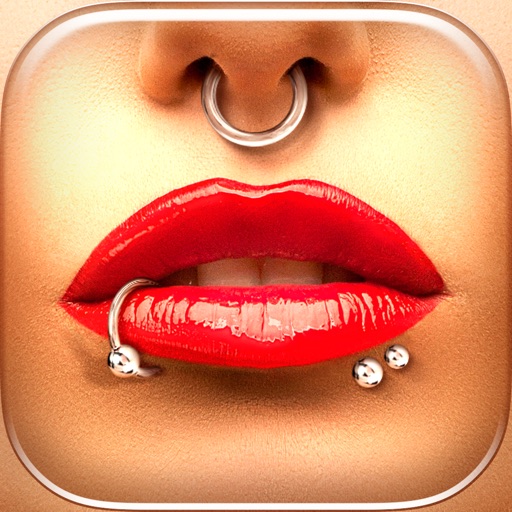
Try different styles with realistic effects. Choose from face, ear, belly, labret, teat, and nose categories. Select from over 300 objects. Adjust placement and size for custom looks. Share edited photos directly.
Record with a pause button to stop and restart recording. Trim and cut videos using the built-in editor. Apply filters like black and white, sepia, or hipster. Save videos in 4K format.