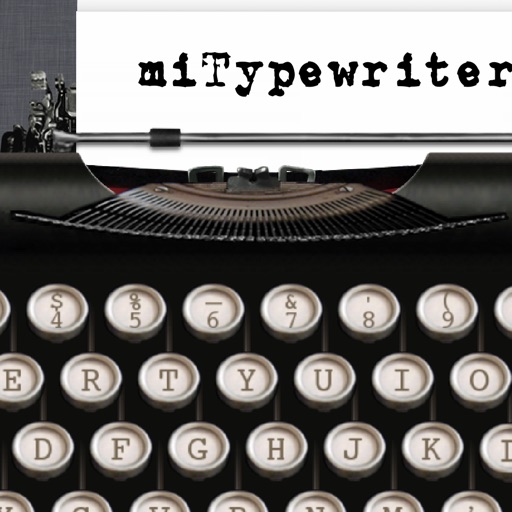
The app presents a typewriter interface on an iPhone or iPod Touch. Users can manage documents, email content as text or images, and utilize features like a backspace key and external keyboard support.
by Teruaki Onoda★ 4.47 ratingsLifestyle$1.99Data updated 2026-09-13
Font allows users to apply 100+ fonts and text styles to typed content. Customize font appearance and receive regular updates. Manage entries with one-tap shortcuts for phrases, links, and emojis. Toggle copy and instantly.
Manage daily tasks, set reminders, and organize events with customizable calendars. Track habits and goals with progress indicators. Sync across devices and share schedules with others.
The app allows users to print photos from their library with flexible sizing and multiple photos per page. It offers customization with text and emoji, photo editing tools, and export options via email or PDF.
Allows users to display text on their iPad screen for speeches or presentations. Features include multiple script support, adjustable text size and font, and speed control. It can be used with compatible systems for live broadcasts or lectures.
Turns iPhone or iPad into an LED message display. Type and display scrolling text for visibility in crowds. Includes emoticons for adding expressions directly in the keyboard. Share messages via social media or email.
Create and customize drawings using various tools like pen, line, arrow, rectangle, ellipse, and eraser. Choose from multiple colors including black, white, red, blue, yellow, and more. Save or share generated images directly others.
Convert units across 30 categories with over 700 measurement options. Switch between light and dark modes. Use a backspace key for editing. Perform conversions quickly with an intuitive interface.
Smart TVs with full remote functions including channel changing, volume adjustment, and menu navigation. Support major brands like Samsung, LG, Roku, and Sony. Connect via Wi-Fi without hardware. Features a clean interface for intuitive use.
Convert images to text using OCR technology. Scan documents, receipts, and textbooks for digital storage. Support English, Japanese, and Chinese-Simplified. Save scanned content as files. Share scanned documents directly.
Keyboard allows users to customize key layouts and themes. It offers auto-suggestion for text prediction. Users can enable swipe typing and gesture shortcuts.
Customize keyboard , phrases, and responses to streamline input. Insert saved snippets and templates quickly. Personalize pre-programmed keys for frequent tasks. Save time by reducing repetitive typing.
Read and navigate PDF files quickly with smooth scrolling and zoom. physical documents to create PDFs. files to multiple formats. Share and annotate documents directly. Open large files efficiently.
Calculate, add, subtract, multiply, divide, and percentage
Perform basic arithmetic operations including addition, subtraction, multiplication, and division. Calculate percentages and use memory functions like M+, M-, MR, MU, and GT. Includes square root functionality.
Print documents and photos directly from an iOS device. Choose files from Dropbox or Google Drive. Customize with built-in tools. Support for 20+ file formats including PDF, DOCX, JPG, CSV, and TXT. Scan documents and photos for printing.
Perform arithmetic operations, including addition, subtraction, multiplication, and division. View a display log of calculations and results. Use a backspace key to correct entries. Support decimal points or commas for number input.