iPhone Screenshots
Description
Nintype, as used by over 150k people!
-----------------------
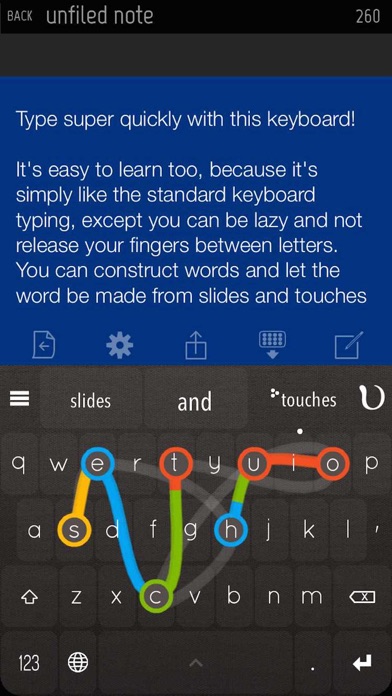
Transform your iPhone or iPad into a highly productive device where you can actually type relatively quickly with it - so writing emails, reports and articles are much nicer, because you can type faster on the iPad/iPhone than most people can on a desktop keyboard!
This notes app comes with a 3rd party keyboard, which is most probably what you're after.
Keyboard Features:
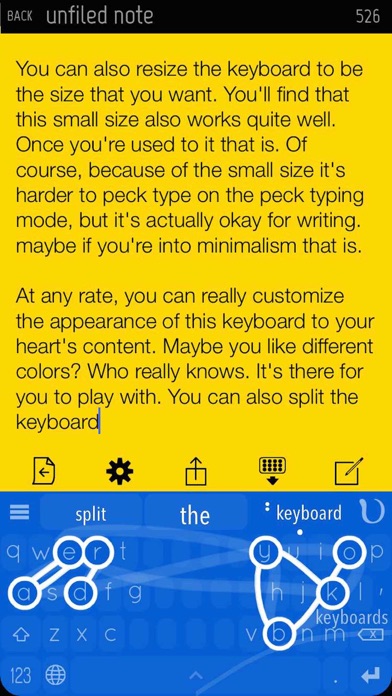
- Two-Handed Sliding Keyboard - construct words with slides and taps
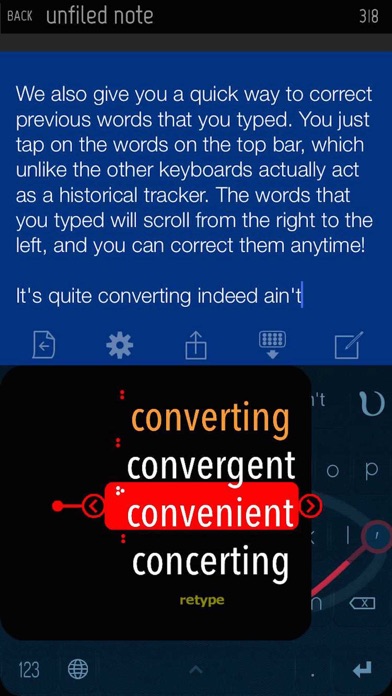
- A top bar to correct previous words quickly
- Slide left/right at the spacebar to move the cursor quickly
- Backspace slide to quickly erase words
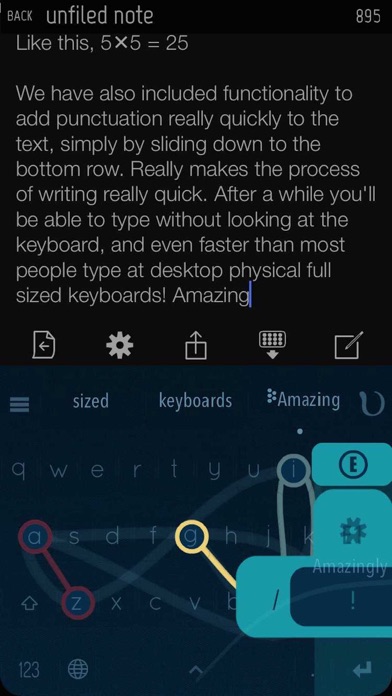
- Edge slide shortcuts to quickly add punctuations
- Quickpaste menu (press-hold caps)
- Height / layout adjustment. Can split, align right, left, etc.
- Flick autocomplete
- Number pad layout quick access (slide right from the 123 button, at the bottom left)
- Calculator which actually counts things - numbers ready to be inserted
- Customizable theme - with a lot of presets
- Autospace Mode (Automatically flushes in adjustable time, dynamic timing, new and improved! recommended for expert users)
- Emojis! Press hold the topleft button at the topbar!
- Emojify - type any english word (e.g happy), slide down from X, and select the emoji you want!
Supported Languages:
Priority Support - English
Secondary Support - Danish, Dutch, French, German, Indonesian, Italian, Norwegian, Polish, Portuguese, Romanian, Spanish, Swedish
Nintype App (A note-taking app) features:
- Subfolders, unlimited depth too
- Shortcuts System
- Recent Notes History system
- A Robust Archive system.
- Quick Share Shortcuts