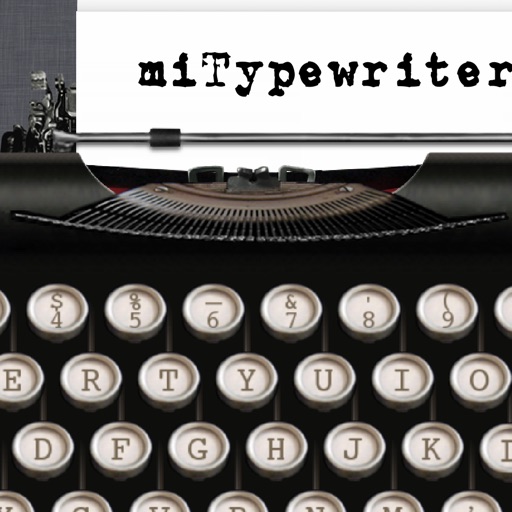
The app presents a typewriter interface on an iPhone or iPod Touch. Users can manage documents, email content as text or images, and utilize features like a backspace key and external keyboard support.
by Teruaki Onoda★ 4.47 ratingsLifestyle$1.99Data updated 2026-10-25
Auto-launches when connected to . Provides photo viewer, video player, music player, and document preview. Manages files between Apple devices and . Backs up Camera Roll instantly. Displays real-time storage information.
Convert your phone into an LED light board with scrolling subtitles and dynamic bullet screens. Input text to display scrolling messages or flash lights. Use for concerts, live streams, parties, or events. No setup required.
View monthly and weekly calendars with customizable background colors. Display today’s events and weekly schedule using personal photos as backgrounds. Access illustrated monthly calendars with unique monthly illustrations.
Type English text to convert to Malayalam using a transliteration keyboard. Support offline conversion without internet. Use voice-to-text for spoken Malayalam input. Sync with apps for text output.
Access and manage academic papers with PDF annotation tools. Highlight text, add notes, draw freehand, and insert text annotations. Sync with or libraries across devices. Share annotated documents directly.
Write in a minimalist interface with customizable settings. Receive haptic feedback and realistic typing sounds. Customize carriage returns and margins. Type on any iPhone or iPad without distractions.
Turns iPad or iPhone into a second for Mac via USB. Browse documents or watch videos with low latency. Use pinch-to-zoom on Mac. Enable Split View for multitasking. Supports touch gestures for enhanced control.
Record with high quality and one-touch start. Pause and resume recordings as needed. Save unlimited files and email or transfer them to DropB for further processing.
Create quotes with customizable text and typewriter fonts. Add images and backgrounds. Share quotes directly to social media. Generate images for personal or social use.
Your Mac remotely via iPhone using the same WiFi network. Adjust settings, launch apps, and use a virtual trackpad. Customize gestures and automate tasks with predefined actions. Monitor system status and manage connected devices.
The app simulates the Enigma cipher machine used during World War II. It allows users to encrypt and decrypt messages using various machine types and configurations, compatible with original Enigma messages.
The app measures distances, perimeters, and areas with precision over satellite images. It calculates surface areas, dimensions for fencing, and more without needing to be on location.
The app offers a simple and intuitive calculator with features like undo/redo, keyboard trackpad mode, and basic graphing. It supports dynamic type and is accessible.
Change default keyboard font with customizable options. Select and apply unique fonts for messages, bios, and social media. Create themed keyboard wallpapers. Customize game nicknames and send styled text messages. Sync fonts across devices.
Calculate, add, subtract, multiply, divide, and percentage
Perform basic arithmetic operations including addition, subtraction, multiplication, and division. Calculate percentages and use memory functions like M+, M-, MR, MU, and GT. Includes square root functionality.
Font allows users to apply 100+ fonts and text styles to typed content. Customize font appearance and receive regular updates. Manage entries with one-tap shortcuts for phrases, links, and emojis. Toggle copy and instantly.
Manage daily tasks, set reminders, and organize events with customizable calendars. Track habits and goals with progress indicators. Sync across devices and share schedules with others.
Turns iPhone or iPad into an LED message display. Type and display scrolling text for visibility in crowds. Includes emoticons for adding expressions directly in the keyboard. Share messages via social media or email.