Measure and display real-time frequency spectrum with Spectrum RTA. Calibrate monitor levels using the Level Meter. Determine optimal EQ presets with EQ Recommendation. Align monitors for accurate sound with Monitor Align.
The app measures sound levels using a digital display for sound power and an analog display for fast mode. It also features real-time FFT frequency analysis with highlighted predominant frequencies and their power.
Audio conversion tools for professionals and enthusiasts.
This application provides audio conversion tools for professionals and enthusiasts. It includes converters for frequency, period, wavelength, band, delay, volume, and room modal response calculations.
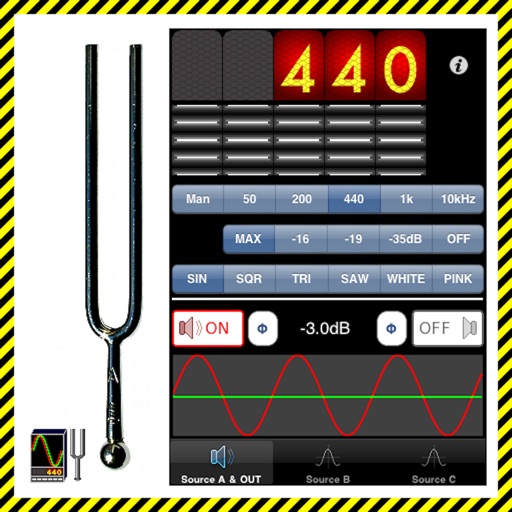
The app generates test tones including sine, square, triangle, sawtooth waves, and noise. Users can combine up to four independent sources with phase switching for each channel.
Play sounds at defined frequencies between 0Hz and 25kHz. Use the noise meter to measure sound levels. Test speakers with quality audio for sound output.
Measure sound pressure levels precisely and easily.
The app transforms an iOS device into a sound level meter, measuring sound pressure levels. It offers features like Apple Watch support, Health app integration, and frequency analysis tools.
Allows users to evaluate performance through frequency sweep analysis and high amplitude sound wave testing. Identify distortion and response issues. nd play custom audio for detailed acoustic assessment.
Generate sound waves and customize audio frequencies
Create and visualize sound waves with frequency control from 0Hz to 22,000Hz. Measure decibels to assess noise levels. Emit ultrasonic frequencies to deter insects. Toggle between light and dark interface themes.
The app provides real-time audio analysis for musicians and recording engineers. It offers octave band analysis, FFT plots, and a spectrograph for sound visualization and measurement.
Use sound waves to remove from speakers. Generate custom tones with adjustable frequencies and waveform shapes. Repel pests using specific sound frequencies. Test stereo sound output and measure ambient noise levels.
Measure levels in decibels using the device’s microphone. Display real-time audio frequency and dB readings. Apply filters for specific frequency and dB ranges. Share measurements via Messages, Email, WhatsApp, Notes, and other apps.
Generate pure tones, frequencies, and waveforms for and headphone testing. Customize frequency ranges and noise types. Perform audio quality tests and analyze sound output. Save and share test results.
Clean speakers and headphones using sound waves to remove dust and moisture without disassembly. Perform automatic or manual cleaning with scheduled reminders. Conduct basic sound tests to check speaker functionality.
Measure sound levels with a precision instrument featuring a . Calibrate against professional dB meters. Log noise data and set decibel thresholds. Display real-time sound level readings and frequency analysis.
AudioTools offers SPL measurement, RTA analysis, FFT visualization, and speaker polarity testing. Includes a generator, scope, CLF viewer, and recorder. Allows adding optional modules for advanced acoustic analysis and customization.
Clean iPhone speakers by generating a sine wave . Adjust frequency with swipe gestures. Control intensity for effective moisture removal. Perform cleaning sessions to restore speaker clarity.
Adjust audio settings with a customizable equalizer. Boost volume and enhance bass for louder playback. to Bluetooth devices and wired . Improve speaker sound quality with audio enhancement features.