Edit photos by converting them to black and white while retaining selected details. Use multi-touch gestures to paint areas in black and white or restore original colors. Zoom in and out with two-finger pinching. Adjust and export edited images.
by Pocket Pixels Inc.★ 4.96,491 ratingsPhoto & Video$1.99Data updated 2026-11-12
Edit photos with retro filters, aesthetic effects, and a free retouch pro plugin. Apply magic presets and dazzling effects. Adjust colors for portraits, influencer shots, film, black and white, nature, urban, and travel photos.
Create artistic images by masking subjects and separating them from backgrounds. Apply filters to subjects or backgrounds for dramatic effects. Adjust styles and textures to enhance visual impact. Share edited photos directly from the .
The app provides a drawing experience with colorful stamps and rainbow lines that trigger sounds. Users can save their creations, clear the canvas with trash and eraser buttons, and choose between white and black backgrounds.
Edit images and videos by selectively recoloring elements. Extract objects, shapes, and text using tracing, magic eraser, and recoloring tools. Deform and extracted elements with distortion tools.
Edit photos with simulation effects, including black-and-white and color tones. Apply realistic grain and color profiles. Save and share edited images directly. Access new types periodically for and discontinued experiences.
Create detailed technical illustrations and artistic designs with vector editing tools. Draw, reshape, and color elements with precision. Import and export files in multiple formats. Use layers, masks, and effects for advanced design work.
Create virtual tattoos on photos by selecting from 100+ black and white or 60+ color totems. Add text or captions and adjust position, rotation, size, font, or color. Save edited images to the photo library or share via social media.
Offers full control over settings including white balance, exposure, ISO, shutter speed, and focus. It supports manual and automatic modes with priority options for ISO and shutter.
Shoot photos in black and white with live-view controls for precise adjustments. Edit images using monochrome-specific tools like contrast, brightness, and grain controls. View and follow a news feed featuring black and white photography.
Edit photos with vintage effects, artistic filters, and professional adjustment tools. Crop, resize, and enhance images. Add text and stickers. Export in multiple formats and share directly. No registration, ads, or watermarks.
Enhance photos by upsizing resolution up to four times. Remove blur and scratches from old images. Add color to black and white photos. Convert photos to cartoon style. Generate AI-based LinkedIn photos.
Enhance photos with AI-powered adjustments. Improve facial details and skin texture. Remove scratches and restore old images. Compare before and after edits. Save and share edited photos.
Create detailed artwork with realistic brushes and watercolor effects. Scale canvas up to 64 times with precise grid and pixel-level accuracy. Use over 80 brushes, erasers, smearing tools, rulers, cutters, fill tools, and color pickers.
Capture photos using a 1-bit camera with only black and white pixels. Choose from three pixel resolutions and an 8-color mode. Features chunky buttons, mechanical sounds, and clean PNG output for printing or further use.
The app transforms user images into watercolor art with liquid color pools and delicate details. It offers two professional-quality aquamedia styles, a randomize color button, and numerous styles for customization.
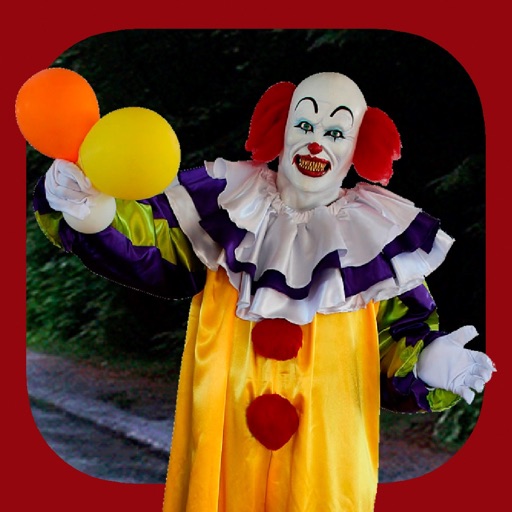
Add clown to photos for a scary effect. Choose from available , position them, and change background to black or white. Edit images using built-in tools and save or share the modified photos.
Enhance photos with Hi-Def, Scenery, Food, Portrait, and Night modes. Apply over 100 free and purchasable filters. Add stickers, frames, and overlays. Touch up selfies with redey tool. Share edited photos directly.
Create art with layers, animation, and onion skinning. Import color palettes from Lospec or use built-in options. Zoom with pinch, draw with tap, and view mini-previews while dragging. Sync with Aseprite for file transfer.
Retouch portraits by smoothing skin, enhancing smiles, and removing imions. Apply filters for vintage, color toning, and film styles. Adjust color temperature and tone for precise corrections. Export edited photos directly.