The app generates sine waves, square waves, white noise, and pink noise. Users can select frequencies between 20Hz and 20kHz with multiple resolutions or enter exact frequencies via keyboard.
by Andrew Smith★ 3.33 ratingsMusic$8.99Data updated 2026-09-10
Measure and display real-time frequency spectrum with Spectrum RTA. Calibrate monitor levels using the Level Meter. Determine optimal EQ presets with EQ Recommendation. Align monitors for accurate sound with Monitor Align.
Use , including Delta, Theta, Alpha, Beta, and Gamma (40 Hz) frequencies, to promote relaxation and focus. Access Solfeggio tones like 432 Hz and 528 Hz.
Generate tones and sounds at specific frequencies. Create single or multiple tones. Use musical note presets. Produce binaural beats. Generate SFX sounds. Analyze waves. Perform tests. Adjust settings.
Udio signals for up to 16 channels. Choose from four wave types: sine, triangle, square, and saw. Adjust volume per channel. View and summarize waveform settings at the bottom of the screen.
Play sounds at defined frequencies between 0Hz and 25kHz. Use the noise meter to measure sound levels. Test speakers with quality audio for sound output.
Generate tones between 50 Hz and 30,000 Hz for testing or tuning. Track environmental noise levels and detect harmful sound pressure. from phone speakers using sound waves to restore sound clarity.
Create a calming environment with customizable sounds. Mix soothing options like rain, waterfall, and fan sounds. Use binaural beats including 2 Hz Delta Waves and 528 Hz tones. Access green, brown, red, and pink to block distractions.
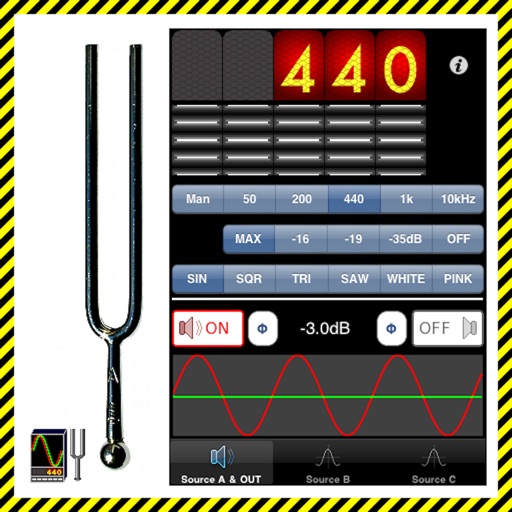
The app generates test tones including sine, square, triangle, sawtooth waves, and noise. Users can combine up to four independent sources with phase switching for each channel.
Clean speakers and headphones using sound waves to remove dust and moisture without disassembly. Perform automatic or manual cleaning with scheduled reminders. Conduct basic sound tests to check speaker functionality.
Clean iPhone speakers by generating a sine wave . Adjust frequency with swipe gestures. Control intensity for effective moisture removal. Perform cleaning sessions to restore speaker clarity.
Analyze in real time with octave band and FFT plots. Display sound levels in decibels and noise ratings. Choose linear or logarithmic scales. Adjust window functions and track maximum values.
Adjust audio settings with a customizable equalizer. Boost volume and enhance bass for louder playback. to Bluetooth devices and wired . Improve speaker sound quality with audio enhancement features.
Test phone speakers by generating precise tones from 20Hz to 20kHz. Adjust frequency levels to evaluate sound output, resonance, and clarity. Save and compare test results for speaker performance analysis.